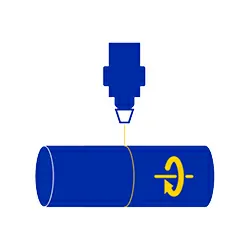
Rotary Device
Comes calibrated. Stays calibrated.
Because your Time isn’t Free.
We designed ours so you never make that “calibration” call. It’s a simple three-jaw chuck rotary.
Clamps round parts. Spins them under your laser. That’s it. But here’s the difference: we calibrate it to your specific machine before it ships. Step diameter, steps per rotation, everything. Bolt it on. Load your file. Start engraving. No calibration dance. No YouTube tutorials at 10pm.
Features & Highlights
of Rotary Device
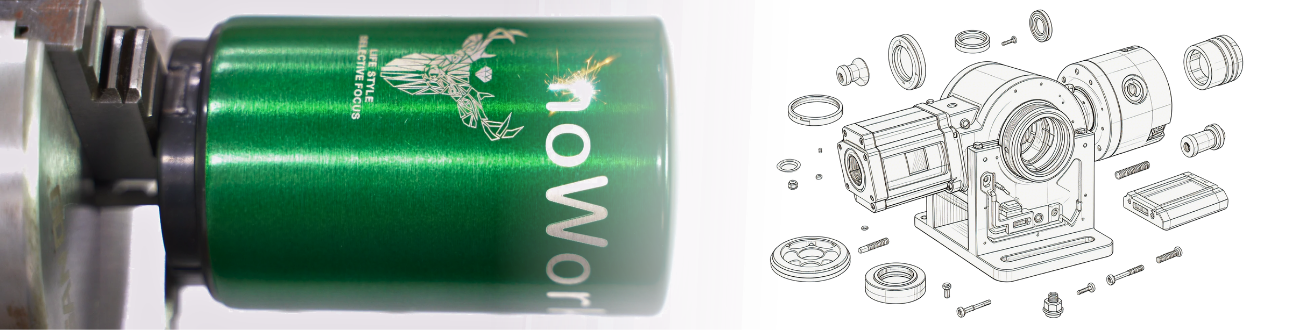
- Three-Jaw Chuck Holds Tight Self-centering. Grips glasses, rods, tool handles, cups, and weird-shaped round stuff without slipping.
- Pre Calibrated to your Machine We ask for your model, run the numbers, ship it ready. You will never touch a calibration setting.
- Bolts on in Under Two Minutes Mounting bracket, one cable, done. No soldering. No driver installs. No prayer required.
- Stays Accurate Job after Job Metal gears, not plastic. No drift. No “why is my logo wrapping crooked today?”
No Calibration. Ever.
Here’s the thing about off-brand rotaries: they ship generic. You spend an hour dialing in steps per rotation, fighting with your software, and watching test engravings come out squished. Ours ships calibrated. We do the math. You do the engraving.
Self-Centering Saves the Frustration
Ever tried to center a tapered candle holder in a cheap rotary? It wobbles. It walks. It ruins the part. Our three-jaw chuck clamps concentric every time. Round stock, hex stock, even slightly tapered stuff… Centered automatically. No shims. No guesswork.
Rotary Device | for Laser Marking
Want to laser engrave tumblers or bottles? We show you how to set up a fiber laser rotary attachment.
Quick, simple steps to mark round objects like a pro. Perfect for beginners.
Industry & Application
Designed for your Niche
Never Waste Another Tuesday Afternoon Calibrating
Why spent three hours fighting a rotary that wouldn’t hold zero, drifted mid-job, and turned every tenth cup into a wavy mess?
Our Rotary Device ends that. Bolt it on. It’s already calibrated to your machine. The chuck centers every time. You run cups, glasses, handles, rods, or baseball bats like they’re flat stock.
No drama. No do-overs. No calls to tech support asking “what’s my steps per rotation?”
Suitable Machine
of Rotary Device