
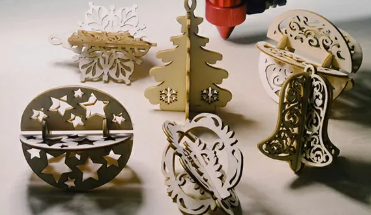
How do you find a machine that is affordable without sacrificing performance?
A machine with a low upfront price may look attractive at first. But if it requires frequent adjustments, limits the materials you can use, or slows down production, the real cost can quickly increase.
For most buyers, the goal is simple:
- Make products faster
- Reduce manual work
- Take on more orders
- Keep operating costs under control
That is what makes the best budget co2 laser engraver different from a basic low-cost machine.
A good budget machine should give you enough power, working space, and reliability to support your current projects while leaving room for future growth.
Whether you are creating personalized gifts, producing signs, running a small workshop, or expanding a manufacturing business, choosing the right laser can directly affect your productivity and profit.
This guide will help you understand what to look for before buying a CO2 laser engraver and how to choose a machine that fits your actual needs.
What Makes a CO2 Laser Engraver the Best Budget Choice?
What Is a CO2 Laser Engraver?
A CO2 laser engraver is a digital cutting and engraving machine that helps businesses create customized products with less manual work.
Instead of spending hours cutting or engraving by hand, you can prepare a design file on your computer and let the machine turn it into a finished product with consistent results.
With a CO2 laser cutter and engraver, you can make a wide range of products, including:
- Wooden signs and decorations
- Acrylic displays and personalized items
- Custom gifts and promotional products
- Leather accessories
- Small-batch products for online stores or local businesses
The biggest advantage of a CO2 laser engraver is flexibility.
One machine can handle different materials and projects, allowing you to test new product ideas, accept more custom orders, and reduce time spent on repetitive work.
Cheap vs Budget-Friendly CO2 Laser Engraver: What Should You Really Buy?
1.Power (Wattage) and Your Real Work
Hobby/Light Use: A 40W-60W machine is a good starting point.
Small Business Production: If you’re selling your work, a 60W-100W machine is often where “budget-friendly” starts for a business. It allows for faster cuts and can handle thicker materials without you waiting on every job. The MimoWork F60 with a 60W CO2 laser tube is suitable for beginners and small workshops.
2.Work Area and Material Sizing
The table size problem: Match your machine’s bed to the size of materials you’ll use most often. Constantly trimming standard sheets down to fit a small bed is a hidden cost in time and waste.
3.Software and Easy Operation
A smooth workflow matters. Easy operation means less time spent adjusting equipment and more time focusing on product development and customer orders.
4. Laser Tube: Choosing the Right Balance Between Cost and Performance
CO2 glass laser tubes are widely used in affordable and mid-range CO2 laser systems because they provide a practical balance between performance and cost.
Key Features a High-Value CO2 Laser Engraver Should Have
Laser Power: Choose Based on What You Actually Make
Laser power affects both cutting ability and production speed.
A lower-power machine can work well for:
- Engraving names and logos
- Small crafts
- Thin materials
Higher-power machines are better for:
- Cutting thicker wood
- Processing acrylic sheets
- Handling repeated production jobs
The best choice depends on your products.
Working Area: Match the Machine Size to Your Orders
The working area determines the size and quantity of materials you can process at one time.
A small desktop machine can be ideal for:
- Home workshops
- Small crafts
- Personalized products
However, businesses producing larger items may quickly feel limited.
A small sign maker working with acrylic sheets will benefit from a larger cutting bed.
A workshop producing multiple small products in batches can also improve efficiency with more workspace.
Stability and Long-Term Operating Costs
Many first-time buyers focus only on machine price.
Experienced users look at the full cost of ownership.
A reliable machine can reduce:
- Production interruptions
- Material waste
- Repeated adjustments
- Maintenance time
Small improvements matter.
If a laser machine saves you 30 minutes every day, that time adds up over months.
For businesses, saved time often means more orders completed and more revenue opportunities.
When comparing the best budget co2 laser engraver, consider not only what you pay today, but also what the machine can help you achieve over time.
What Materials Can a CO2 Laser Engraver Process?
One reason CO2 laser machines are popular is their versatility.
A single machine can support many different products and industries.
Instead of purchasing separate tools for every material, businesses can use one laser system for multiple applications.
Wood, Acrylic, Leather, Fabric
Wood
Wood is one of the most common materials processed with CO2 lasers.
Applications include:
- Custom signs
- Wooden gifts
- Home decorations
- Packaging products
- Decorative parts
Laser engraving allows simple materials to become personalized products with higher customer value.
Acrylic
Acrylic is widely used for:
- Display boards
- Business signs
- Awards
- Decorative products
CO2 lasers can create clean edges and detailed designs, making them suitable for professional-looking products.
Leather and Fabric
Creative businesses often use CO2 lasers for:
- Leather accessories
- Fashion details
- Fabric patterns
- Custom decorations
Laser processing makes it easier to create complex designs that would be difficult to complete manually.
How a CO2 Laser Engraver Can Help Grow Your Business
Many buyers are not just looking for a machine.
They are looking for a way to improve their business.
A CO2 laser engraver for small business can help turn ideas into sellable products while reducing the time needed for production.
Create More Custom Products Without Adding More Labor
Customization is one of the biggest advantages of laser processing.
Customers often pay more for products that are made specifically for them.
Examples:
- A wooden sign with a family name
- A personalized wedding decoration
- A company logo engraved on a product
- A custom gift box
Without a laser machine, these projects may require hours of manual work.
With digital laser processing, the workflow becomes much easier.
Prepare the design.
Set up the machine.
Repeat the process whenever another order comes in.
For small businesses, this means accepting more customized orders without increasing labor costs.
Increase Product Value Through Personalization
A plain material usually has limited selling value.
A piece of wood is just wood.
A piece of acrylic is just acrylic.
But after adding:
- A unique design
- A customer name
- A brand logo
- A special pattern
the product becomes something customers are willing to pay more for.
This is why many small businesses use laser engraving to create premium products instead of competing only on price.
Expand Your Product Range With One Machine
Many entrepreneurs start with one product category.
Then customers begin asking for more.
A seller making wooden gifts may later receive requests for:
- Acrylic signs
- Custom decorations
- Corporate gifts
- Event products
A versatile best CO2 laser engraver for small business and custom products gives you the flexibility to explore different markets.
One machine can support multiple revenue opportunities.
MimoWork Best Budget CO2 Laser Engraver Recommendations
Choosing a laser engraver becomes easier when you first understand your production stage.
A beginner does not need the same machine as a growing workshop.
A business handling hundreds of orders every month needs a different solution.
The best choice depends on three things:
- What products you make
- How often you use the machine
- How much you want your business to grow
MimoWork offers CO2 laser machines in different sizes to help users find a balance between investment and production needs.
F60 Desktop Laser: A Practical Starting Point for Beginners
Starting a laser business does not mean you need to buy the largest machine immediately.
For many new users, the first challenge is testing the market.
You want to know:
- Will customers buy my products?
- Which materials should I focus on?
- How many orders can I handle?
The MimoWork F60 Desktop Laser is designed for users who need a compact CO2 laser solution.
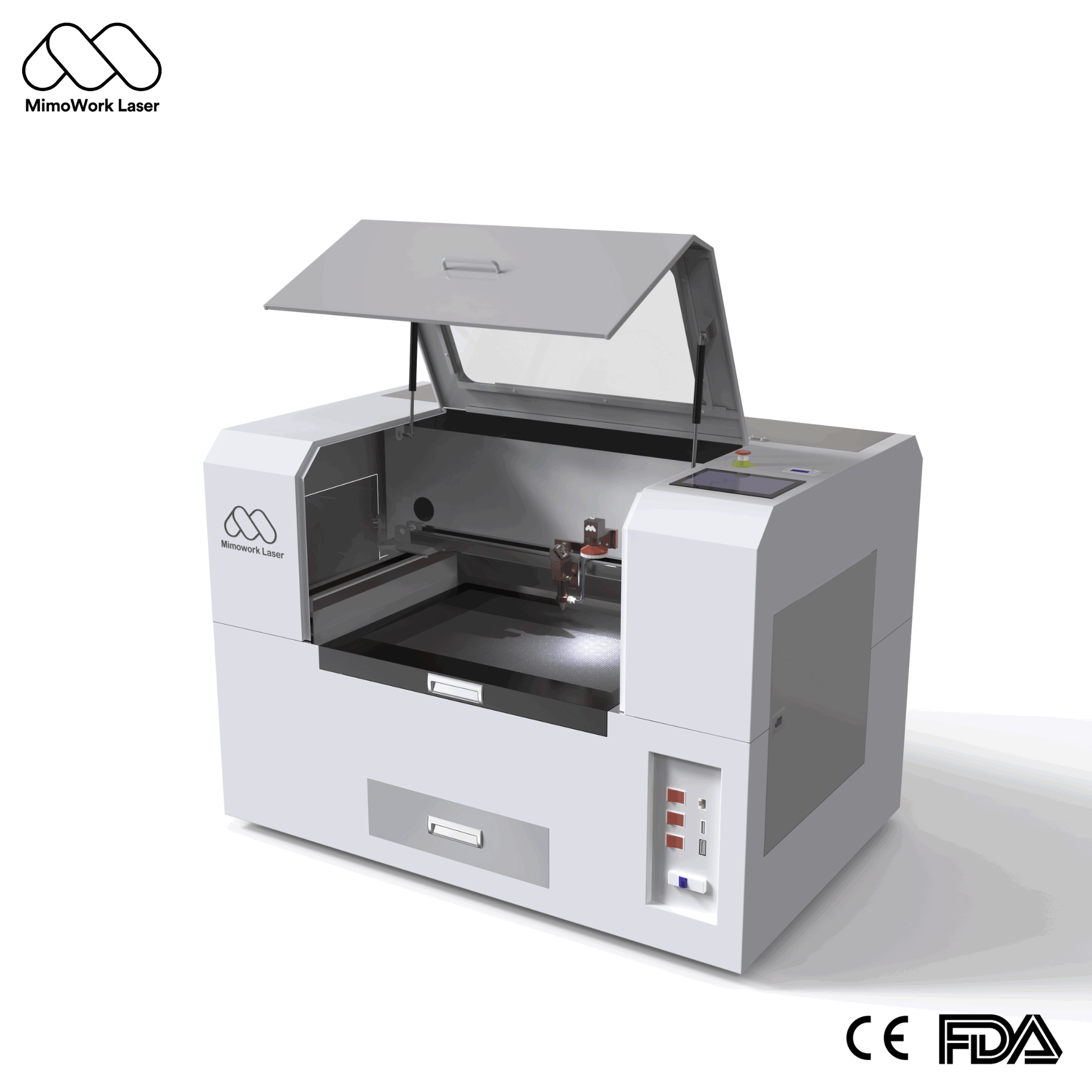
With a 600 × 400 mm working area, it fits well in smaller spaces such as:
- Home workshops
- Small studios
- Creative businesses
It can be used for products like:
- Personalized wooden gifts
- Acrylic decorations
- Leather accessories
- Small craft projects
For users searching for the best affordable CO2 laser engraver for beginners, the F60 provides a way to start production without investing in a large industrial system.
It is a suitable option for testing product ideas, building customer experience, and developing a small customization business.
F100 CO2 Laser Cutter: A Better Fit for Growing Businesses
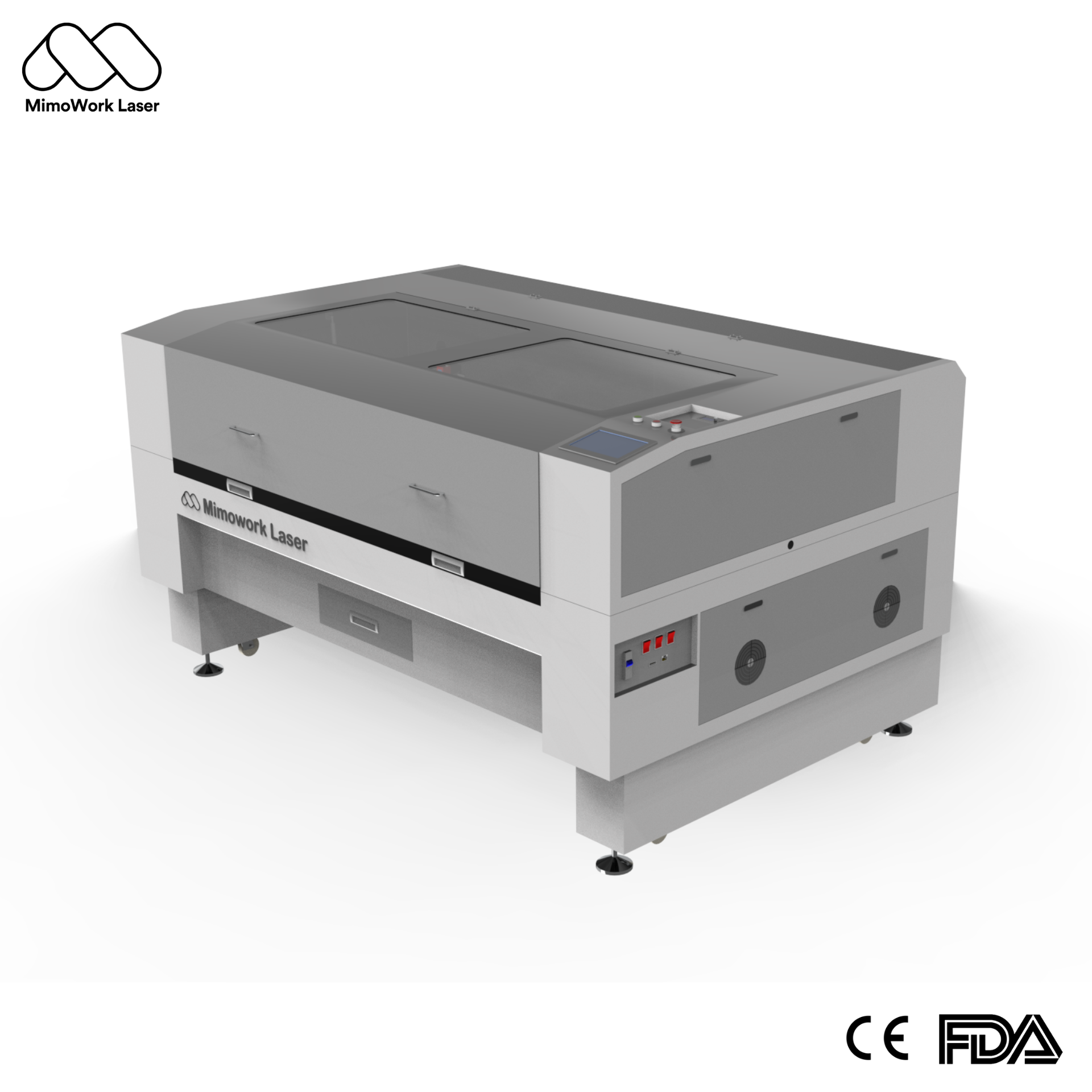
Many businesses reach a point where a small machine starts slowing them down.
The problem is usually not a lack of orders.
It is production capacity.
More orders mean:
- More materials to process
- More repeated jobs
- Less time available for manual operation
The MimoWork F100 CO2 Laser Cutter provides a larger 1000 × 600 mm working area, giving small businesses more flexibility.
It is suitable for applications such as:
- Sign production
- Custom products
- Advertising materials
- Batch processing
A larger working area can improve daily workflow.
You can process larger designs.
You can place more pieces in one batch.
You spend less time repositioning materials.
For businesses looking for a CO2 laser engraver for small business, the F100 offers a practical upgrade from entry-level equipment.
F130 CO2 Laser Cutter: Designed for Higher Production Demands
As your business grows, production requirements change.
Small orders become regular orders.
Simple projects become larger projects.
At this stage, machine capacity becomes more important.
The MimoWork F130 CO2 Laser Cutter features a 1300 × 900 mm working area and supports higher power options for more demanding applications.
It is suitable for users working with:
- Larger acrylic sheets
- Wooden panels
- Display products
- Decorative applications
- Repeated production tasks
A larger machine helps reduce production limitations.
Instead of adjusting your workflow around the machine, the machine can better support your workflow.
For businesses with stable demand, choosing the right size early can improve efficiency and reduce future upgrade costs.
See real engraving performance in action:
Frequently Asked Questions
Can I Buy a Reliable CO2 Laser Engraver With a Limited Budget?
Yes.
The key is understanding your actual production needs.
A lower-cost machine may work well for beginners, while growing businesses may benefit from a larger working area and higher power.
The goal is not to buy the cheapest machine.
The goal is to choose a machine that can handle your expected workload.
What Wattage CO2 Laser Engraver Should Beginners Choose?
For beginners, the ideal power depends on the products you plan to make.
If your main focus is engraving:
- Small gifts
- Decorative items
- Personal products
A lower-power machine may be enough.
If you plan to cut:
- Thicker wood
- Acrylic sheets
- Larger materials
Higher power provides more flexibility.
Many small businesses choose 60W–100W CO2 laser systems because they offer a good balance between cost and capability.
Is a CO2 Laser Engraver Suitable for Small Businesses?
Yes. The biggest advantage is flexibility—you can create different products, accept custom orders, and explore new business opportunities with one machine.
Find Your Best Budget CO2 Laser Engraver with MimoWork
The best budget CO2 laser engraver is the one that delivers the right balance of cost, performance, and production capability to help you create more products, handle more orders, and grow your business efficiently.
Whether you are starting a small workshop or expanding your production capacity, MimoWork can help you find the right CO2 laser solution based on your materials, applications, and workflow.
Tell us what you want to make and get a customized CO2 laser engraver recommendation and quote from MimoWork today.