Blog
In a field that evolves daily, staying ahead means staying informed.
Explore in-depth articles designed to help you solve complex challenges,
maximize your machine’s ROI.
Stay ahead in a competitive market.


In a field that evolves daily, staying ahead means staying informed.
Explore in-depth articles designed to help you solve complex challenges,
maximize your machine’s ROI.
Stay ahead in a competitive market.
News | Jul-9-2026
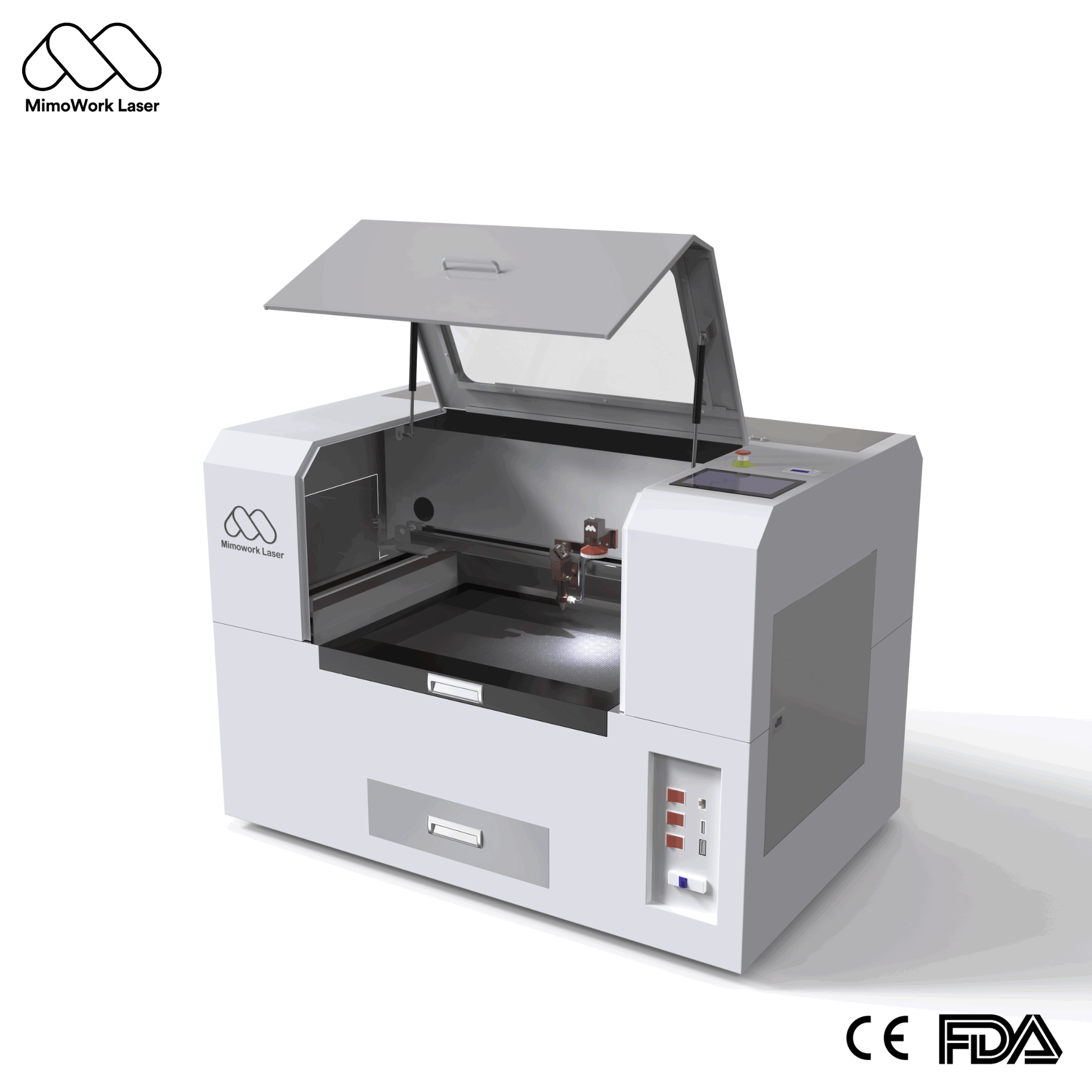
A CO2 desktop laser cutter operates using a sealed CO2 glass tube as its core laser source, emitting an infrared beam with a wavelength of 10.6μm. The beam is directed through a series of mirrors and focused by a lens onto the material surface. Through thermal vaporization for cutting and thermal ablation for engraving, it delivers precise material processing.
Modern machines like those from MimoWork integrate a hybrid servo motor drive system, achieving cutting speeds up to 500mm/s with consistent accuracy within 0.15mm. An industrial water-cooling system keeps the laser tube at a constant temperature, ensuring stable operation and extending equipment lifespan.
For small businesses and startup studios, a CO2 desktop laser cutter is a game-changer. Its compact desktop design fits directly onto workbenches, requiring minimal floor space – perfect for small workshops, home studios, and entrepreneurial teams.
Unlike large industrial machinery, it offers an accessible entry point with lower upfront investment while maintaining professional-level processing capabilities. The user-friendly software compatibility, such as support for LightBurn, allows designers to import digital files directly without additional tooling, making small-batch production efficient and cost-effective.
A versatile CO2 desktop laser cutter supports processing of over 10 types of non-metallic materials, including:
• Acrylic and plastics
• Wood and plywood
• Leather and fabric
• Paper and cardboard
• Rubber and foam
It can perform multiple processes including cutting, engraving, perforating, and etching, making it suitable for various applications from cultural crafts to advertising signage, apparel sampling, paper customization, and educational training.
To achieve optimal precision:
1.Calibrate your machine regularly: Check beam alignment and focus distance to ensure energy concentration
2.Use appropriate speed and power settings: Different materials require different parameter combinations for clean cuts
3.Leverage auxiliary systems: Air assist systems reduce charring and keep cutting edges clean, while vacuum adsorption platforms hold materials firmly in place
4.Maintain consistent environment: Keep the working area temperature stable and ensure the water-cooling system is functioning properly
| Feature | CO2 Desktop Laser Cutter |
| Footprint | Compact, fits on desktop |
| Upfront Cost | Lower, accessible for small businesses |
| Operation | User-friendly, minimal training required |
| Production Volume | Ideal for small batches and custom orders |
| Flexibility | Easy to reconfigure for different projects |
The key advantage of the desktop version lies in its flexibility and accessibility – it enables small businesses to offer customized products without the massive capital outlay required for industrial equipment.
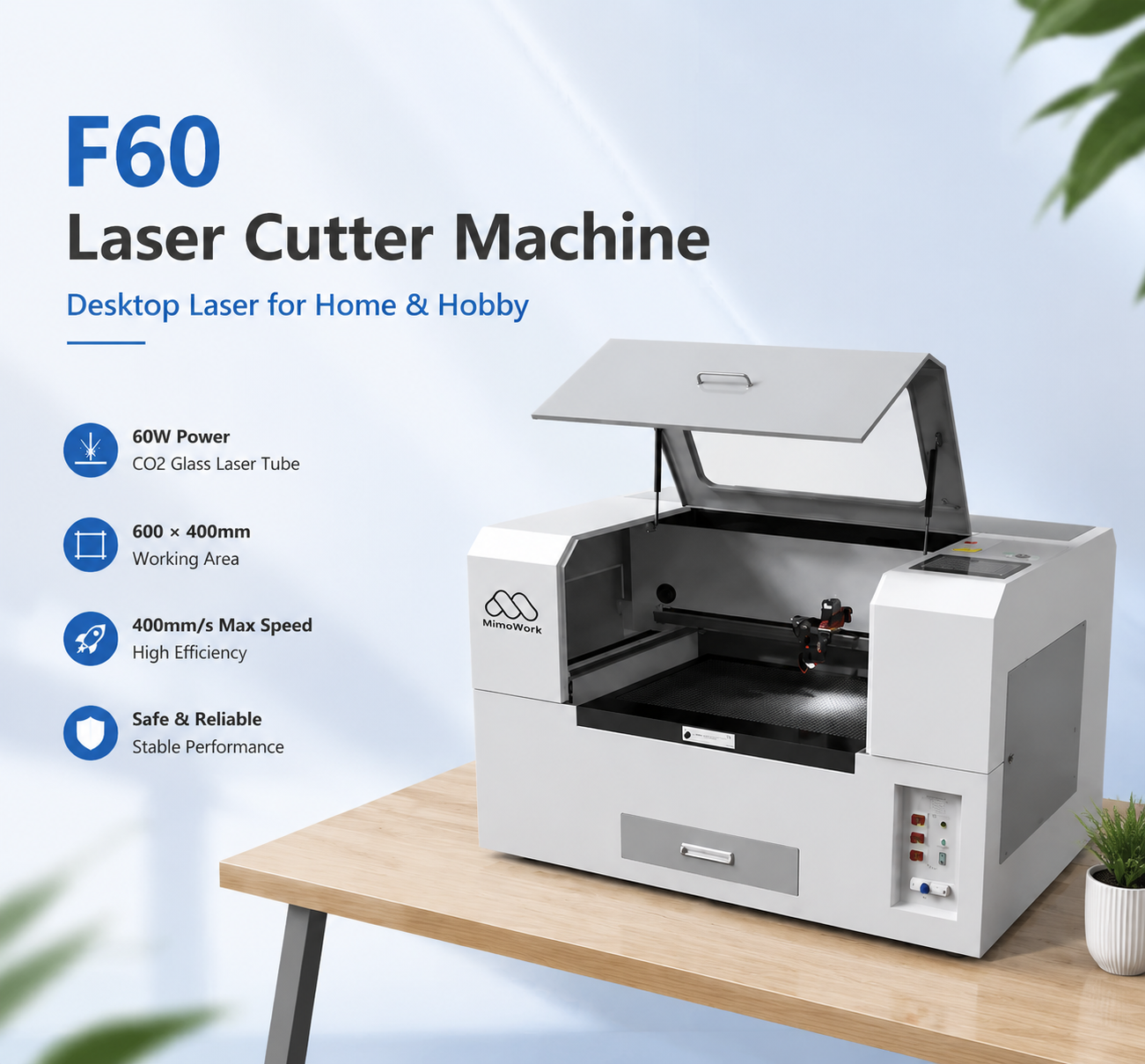
Entry-level desktop models like the MimoWork F60 offer a cost-effective starting point for small businesses and hobbyists. Pricing varies based on working area size, power output, and included accessories, but generally falls within a range that’s accessible to startups. Modular design allows you to start with a basic configuration and add upgrades like automated feeding or rotary attachments as your business grows.
Compared to other manufacturing equipment, operating costs are relatively low:
• Consumables: The main consumable is the CO2 laser tube, which typically lasts thousands of hours before needing replacement
• Electricity: Desktop models have moderate power consumption, much lower than large industrial machines
• Maintenance: Regular maintenance primarily involves cleaning optical lenses and checking water cooling system levels – simple procedures that don’t require specialized technicians.
• Maintenance: Regular maintenance primarily involves cleaning optical lenses and checking water cooling system levels – simple procedures that don’t require specialized technicians.
The fastest path to ROI comes from leveraging the machine’s strengths:
1.Focus on custom and personalized orders that command premium pricing
2.Offer on-demand production to reduce inventory costs
3.Eliminate tooling costs for small batches – each job can be completely different without additional setup fees
4.Expand into multiple markets simultaneously (custom gifts, signage, jewelry, decor) to diversify revenue streams
Many small business owners find they can recoup their investment within 6-12 months through consistent custom orders.
• Fume extraction: Always use the machine with a fume extraction system connected to remove harmful vapors produced during cutting
• Never leave unattended: Keep an eye on the machine during operation, especially when cutting thicker materials
• Fire safety: Keep a fire extinguisher nearby and clear the work area of flammable materials
• Proper ventilation: Ensure your workspace has adequate ventilation to maintain air quality
1. Clean optical components regularly: Wipe mirrors and focus lens with appropriate cleaning solution to keep beam transmission efficient
2. Check water cooling system: Maintain proper water level and change the water regularly to prevent contamination
3. Keep moving parts lubricated: Follow manufacturer guidelines for lubricating guide rails and drive systems
4. Store correctly: Keep the machine in a dry, temperature-stable environment when not in use
A: Maximum cutting depth depends on laser power. Common 80-100W desktop machines can cut up to 10mm acrylic, 8mm wood, and 5mm leather.
A: Standard CO2 lasers are primarily designed for non-metallic materials. While they can mark some thin metals, they’re not suitable for cutting most metals.
A: Most desktop machines support standard design software and work with common programs like LightBurn, which offers an intuitive interface for design and machine control.
A: A quality CO2 glass tube typically lasts between 2,000-6,000 hours of operation, depending on usage and maintenance.
At MimoWork, we’ve been specializing in laser cutting solutions for small and medium businesses for years. Our CO2 desktop laser cutters are engineered with industrial-grade components in a compact footprint, delivering:
1.Consistent 0.15mm precision for every project
2.Hybrid servo motor technology for fast 500mm/s cutting speeds
3.Modular design that grows with your business
4.Comprehensive technical support and user training
5.Competitive pricing that delivers rapid ROI
Our machines are trusted by thousands of small business owners, designers, and educators around the world for their reliability, ease of use, and professional results. Whether you’re just starting out or expanding your capabilities, MimoWork has the right solution for your workshop.
Explore Our CO2 Desktop Laser Cutter Collection
A CO2 desktop laser cutter represents an accessible entry into precision digital manufacturing for small businesses, designers, and entrepreneurs. With its compact footprint, versatile material compatibility, and relatively low upfront cost, it enables small teams to offer high-quality custom products that were previously only possible with large, expensive industrial equipment.
By understanding the technology, choosing the right configuration for your needs, and following proper safety and maintenance procedures, you can build a profitable business or expand your creative capabilities with this powerful tool. Whether you’re starting a new custom gift business, creating prototypes for product development, or adding new capabilities to an existing workshop, a quality CO2 desktop laser cutter delivers excellent value and rapid return on investment.
News | May-21-2026
News | Apr-15-2026