Blog
In a field that evolves daily, staying ahead means staying informed.
Explore in-depth articles designed to help you solve complex challenges,
maximize your machine’s ROI.
Stay ahead in a competitive market.


In a field that evolves daily, staying ahead means staying informed.
Explore in-depth articles designed to help you solve complex challenges,
maximize your machine’s ROI.
Stay ahead in a competitive market.
News | Sep-4-2026
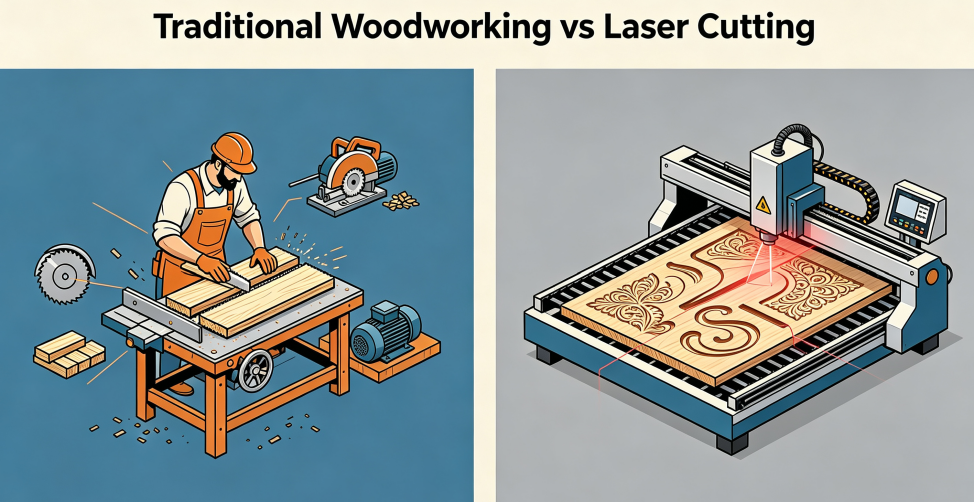
Woodworking has always depended on reliable cutting tools. From hand saws and table saws to routers and other power tools, woodworkers have developed many ways to turn raw boards into furniture, signs, decorations, and custom products.
But traditional woodworking tools are not equally effective for every project. Straight cuts are relatively easy, while intricate patterns, small openings, curved shapes, and personalized designs can take more time and require careful manual work.
This is where laser woodworking machines offer a different approach. By combining computer-controlled cutting with precise laser processing, a laser cutter for wood can create detailed shapes and engravings directly from a digital design. For workshops producing custom signs, gifts, decorative panels, plywood parts, and other wood products, this can make the production process faster and more flexible.
But choosing a laser machine is not simply about buying the highest-power model. The right machine depends on what you make, the materials you use, the size of your projects, and how much production you need.
This guide explains how laser cutting and engraving work in woodworking and what to consider when choosing the best laser woodworking machine for your needs.
Wood laser cutting uses a focused laser beam to cut through wood materials along a programmed path. Instead of using a physical blade or router bit, the laser applies concentrated heat to the material and follows the shape created in the design software.
Traditional tools such as saws and routers remain useful for thick wood and heavy woodworking. However, they can be less convenient when a project includes detailed curves, small holes, intricate patterns, or many different shapes.
A laser cutter for wood can follow these designs automatically, making it particularly useful for customized and repeatable products.For a more detailed look at wood laser cutting and engraving, see this complete guide to laser wood cutters and engravers.
Laser cutting can be used for a wide variety of woodworking projects, including:
The main advantage is flexibility. A single machine can cut different designs without changing a physical cutting tool. You can simply modify the digital file and start the next project.
Detailed cutting:
A laser can follow complex digital designs, making it suitable for intricate patterns, small openings, and interlocking parts.
Less physical contact:
Because the laser does not press a cutting tool against the material, there is no mechanical cutting force that can push or move lightweight workpieces.
Easy design changes:
Different shapes and patterns can be produced by changing the digital design rather than replacing a physical tool.
Cutting and engraving in one machine:
A CO2 laser woodworking machine can usually switch between cutting and engraving within the same workflow.
There are also limitations. Laser cutting uses heat, so cut edges may become darker, and the maximum thickness depends on laser power and material characteristics.
Wood engraving is another common application for laser woodworking machines.
Traditional wood engraving often requires manual carving or mechanical tools. These methods can work well for larger or deeper designs, but creating small text, detailed images, or repeated personalized patterns can take considerable time.
A laser wood engraver creates the design directly on the surface of the material. The laser moves according to the digital file and removes a controlled amount of material from the surface.
Common applications include:
This makes laser engraving particularly useful for personalized gifts, signs, packaging, furniture details, and small-batch products.
One of the biggest advantages of a CO2 laser woodworking machine is that cutting and engraving can be combined.
For example, a business producing wooden signs could first engrave a logo or design and then cut the outer shape without moving the workpiece to another machine.
This makes a laser cutter and engraver especially useful for businesses that produce customized wood products.
Once you know what you want to make, several factors become important when comparing machines.
Laser power affects how efficiently the machine can cut through wood.
Higher power generally provides greater cutting capability, while lower power can be sufficient for engraving and thinner materials.
As a general reference:
| Laser Power | Typical Applications |
| 60W–100W | Wood engraving, crafts, veneer, and thinner wood materials |
| 100W–150W | General woodworking, signs, plywood, and MDF |
| 150W–300W | Thicker wood materials and higher-volume cutting |
| 300W+ | Large-format and demanding industrial cutting |
These ranges should be treated as general guidance rather than fixed cutting limits. Wood density, thickness, moisture, plywood construction, cutting speed, focus, and air assist can all affect the result.
The working area determines how large a piece can be processed without repositioning.
If you mainly make small gifts or crafts, a compact machine may be enough. If you produce signs, furniture components, or large panels, a larger working area can save time and simplify material handling.
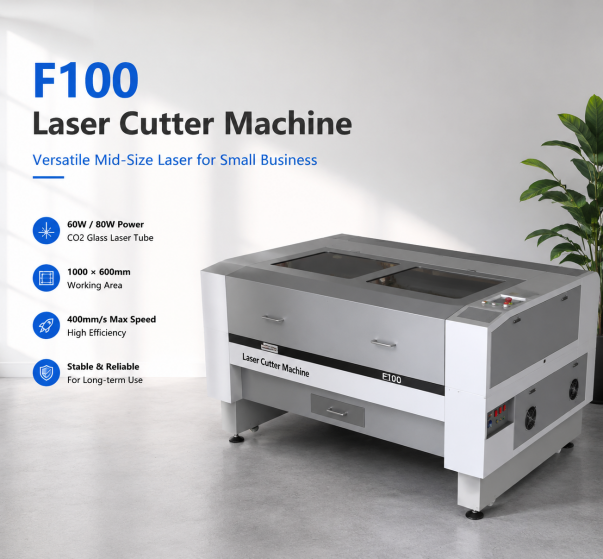
For example, MimoWork’s CO2 laser cutter range includes:
| Machine | Working Area | Laser Power | Typical Woodworking Use |
| F60 | 600 × 400 mm | 60W | Small crafts, gifts, prototypes |
| F100 | 1000 × 600 mm | 60W / 80W | Signs, custom products, small business production |
| F130 | 1300 × 900 mm | 60W–150W | Larger signs, displays, decorative wood products |
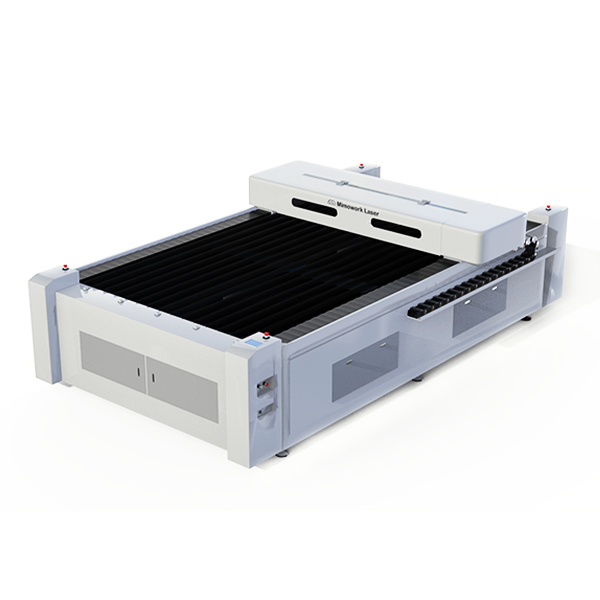
| F130-L | 1300 × 2500 mm | 100W–600W | Large wood sheets, furniture components, industrial production |
These models provide different combinations of working area and laser power, allowing users to select a machine according to the size and volume of their work.
Your daily workload is another important consideration.
For occasional projects or small custom orders, a compact machine may provide enough capacity. If you are producing dozens or hundreds of parts regularly, a larger machine with higher power and a more robust motion system may be a better long-term choice.
Think about not only what you produce today, but also whether your production requirements are likely to increase.
Features such as air assist, autofocus, fume extraction, and pass-through designs can make a noticeable difference in everyday operation.
Air assist helps clear smoke and debris from the cutting area. Autofocus can simplify setup when material thickness changes. Fume extraction removes smoke produced during processing, while pass-through designs can make it easier to work with longer or oversized materials.
Laser cutters and CNC routers can both be useful in woodworking, but they are designed for different types of work.
A CO2 laser is generally a better choice when you need:
A CNC router is generally better when you need:
The choice therefore depends more on the type of woodworking than on which technology is “better.”
| Feature | CO2 Laser | CNC Router |
| Detailed 2D Cutting | Excellent | Good |
| Surface Engraving | Excellent | Good |
| Intricate Designs | Excellent | Good |
| Thick Timber | More Limited | Excellent |
| Deep 3D Carving | Limited | Excellent |
| Natural Edge Color | Darker laser-cut edge | Natural wood edge |
| Physical Cutting Tool | No | Yes |
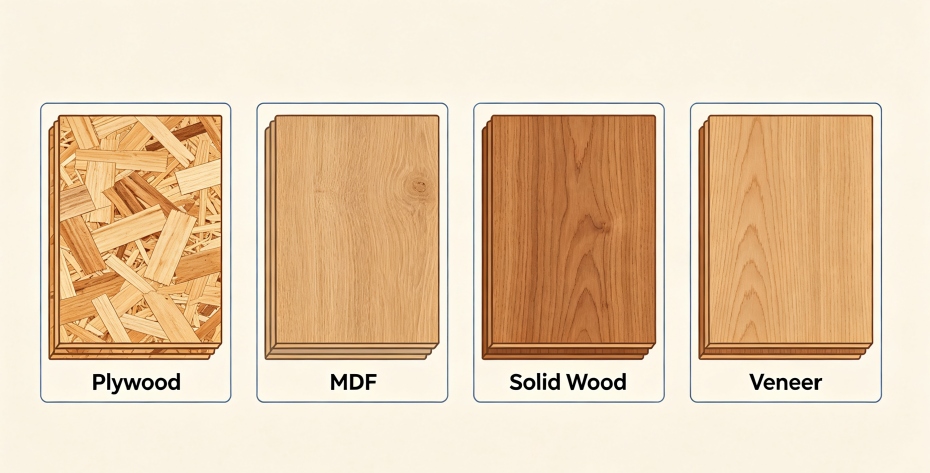
CO2 laser machines are suitable for many common woodworking materials, including plywood, MDF, solid wood, and veneer.
These materials are widely used for signs, furniture components, decorative panels, crafts, and personalized products.
Different materials respond differently to laser heat. Plywood and MDF may require different settings depending on their thickness and adhesive content, while solid wood can vary according to species and moisture level.
For the best results, test the material before production and adjust the laser power, cutting speed, focus, and air assist according to the specific wood.
Laser cutting wood naturally produces some heat-related darkening around the cut edge. However, the amount of charring can often be reduced through proper machine settings and preparation.
A few practical steps can help:
There is no universal setting for every type of wood. A setting that works well for one plywood or hardwood may need to be adjusted for another.
The best machine depends on the scale of your woodworking projects.
If you are mainly producing small crafts, gifts, and personalized products, a F60 can provide a compact starting point.
If you need more working space for signs and small-business production, the F100 offers a larger 1000 × 600 mm working area.
For larger signs, displays, and commercial wood products, the F130 provides a 1300 × 900 mm workspace with higher power options.
For large sheets, furniture components, and higher-volume production, the F130-L offers a 1300 × 2500 mm working area with power options up to 600W.
Instead of choosing the machine with the highest power, consider the material thickness, workpiece size, production volume, and type of woodworking you actually need to handle.
The required power depends on the type and thickness of the wood. Lower-power machines are suitable for engraving and thinner materials, while higher-power CO2 lasers are better suited to thicker materials and higher-volume cutting.
Yes. CO2 lasers are commonly used to cut and engrave plywood and MDF. However, different boards can behave differently depending on thickness, density, and adhesive composition, so testing is recommended.
Neither is universally better. A laser is usually more suitable for detailed 2D cutting and surface engraving, while a CNC router is better for thick timber, deep carving, and 3D machining.
Laser technology has become a useful addition to modern woodworking because it makes it easier to turn digital designs into precise cuts and detailed engravings.
The best laser woodworking machine, however, depends on the work you need to do. Small crafts and personalized products may only require a compact machine, while larger signs, furniture components, and sheet materials call for more working space and higher cutting capacity.
Before choosing a machine, look at your wood materials, material thickness, project size, production volume, and cutting or engraving requirements.
With the right combination of laser power and working area, a CO2 laser woodworking machine can become a flexible tool for everything from custom crafts to large-scale wood production.
News | Aug-20-2026
News | Aug-20-2026
News | Jul-17-2026