Blog
In a field that evolves daily, staying ahead means staying informed.
Explore in-depth articles designed to help you solve complex challenges,
maximize your machine’s ROI.
Stay ahead in a competitive market.


In a field that evolves daily, staying ahead means staying informed.
Explore in-depth articles designed to help you solve complex challenges,
maximize your machine’s ROI.
Stay ahead in a competitive market.
News | Jun-5-2026
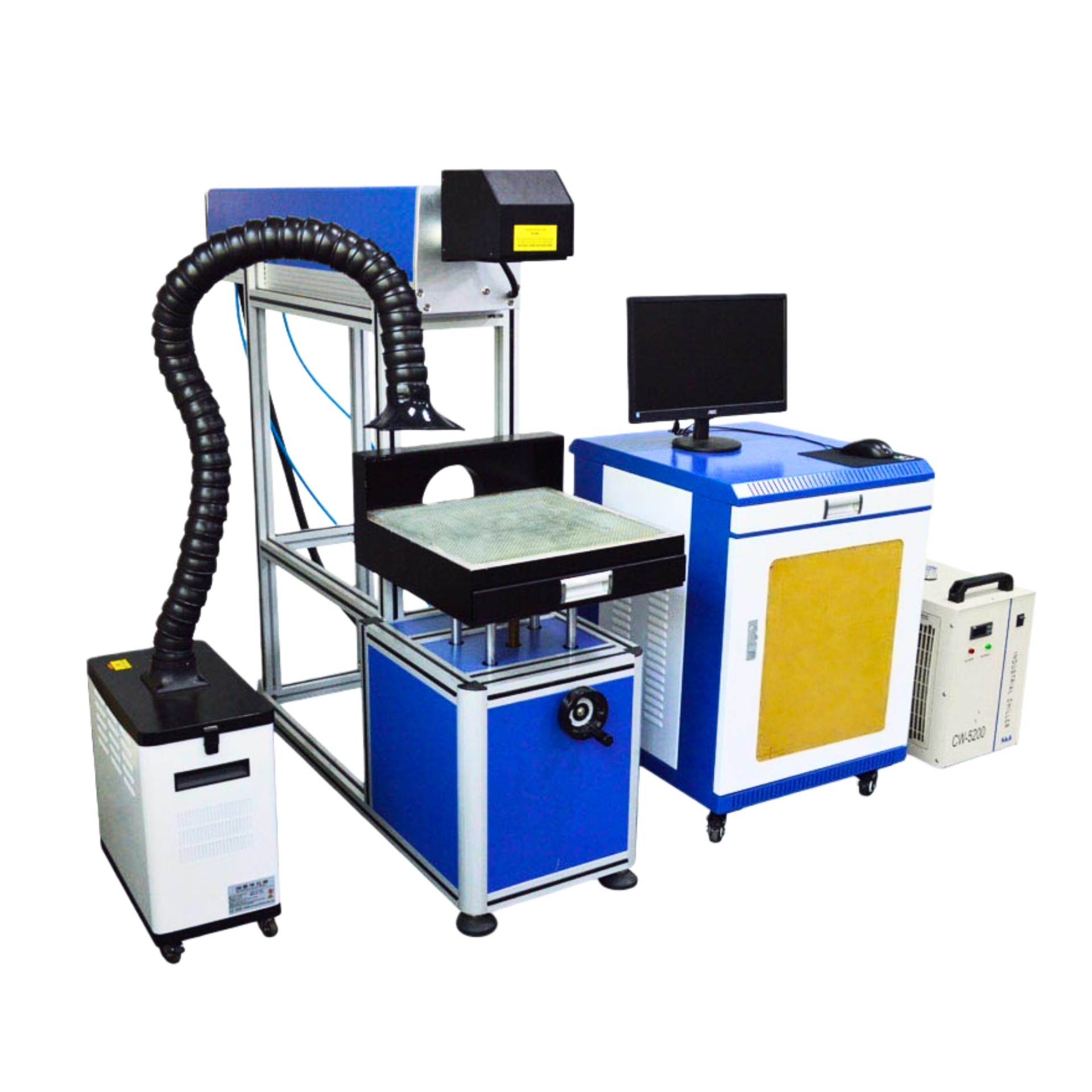
Uneven marks, faded codes, and messy ink residue — these are problems that slow down production and raise compliance risks. A CO₂ laser marking machine eliminates them by delivering clean, permanent marks with zero consumables and zero contact. This guide helps you choose the right system for your production needs.
A CO₂ laser marking machine directs a focused infrared beam onto a material surface, permanently altering its structure to form text, logos, barcodes, or serial numbers — without ink, tooling, or physical pressure.
In a CO₂ laser marker, the laser source produces a 10.6 μm beam. A galvo mirror system steers that beam onto the workpiece at high speed. When the focused energy hits the surface, it quickly vaporizes the material or alters its color — creating a permanent mark. And because the galvo moves the beam rather than the laser head, the system can hit marking speeds up to 10,000 mm/s.
These three laser types are easy to mix up, but each serves a very different role.
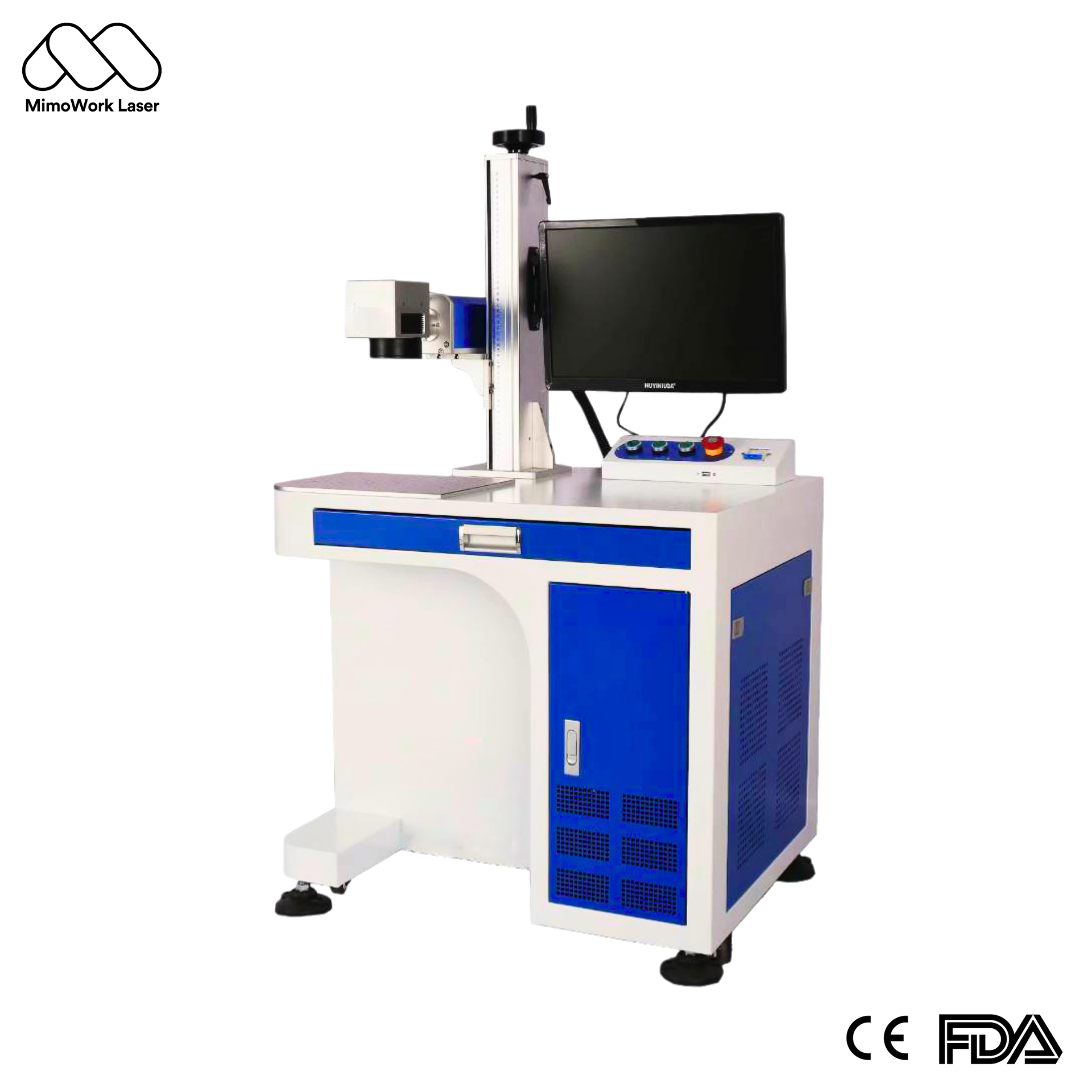
UV Laser (355nm) – It’s a cold processing tool, meaning very little heat is generated. That’s why it works well on precision plastics, glass, and sensitive electronics.
Bottom line: If your primary materials are non-metal, CO₂ is the most cost-effective choice. For high-volume direct bare-metal marking without a coating agent, fiber is the stronger fit.
CO₂ laser marking stands out for four key reasons:
Specs on a datasheet can be misleading. Here are the parameters that actually matter.
Mimowork’s CO₂ galvo laser marking machines are available in three power configurations:
Note: More power is not always better. Excessive power with incorrect speed settings causes yellowing and burning. Parameters must always be tuned to each specific material.
The standard marking field is 400mm × 400mm, suitable for most small- to medium-workpiece applications. Extended field configurations and large-format systems are available for other machine models — contact Mimowork for options suited to your workpiece size and production format.
These three factors show how a machine actually performs on the line.
Two CO₂ laser source options are available:
Don’t just assume the software will fit your workflow — confirm it before you buy. Here’s what to look for:
The 10.6 μm wavelength is highly effective against virtually all mainstream non-metal materials, including acrylic, wood, leather, fabric, paper, and plastics. Here is how it applies across key industries.
CO₂ laser marking is ink-free, contamination-free, and permanently readable — a clear advantage over inkjet coders in food, pharma, and personal care packaging where cleanliness standards are strict.
No plate-making, zero changeover cost. CO₂ lasers handle wood engraving, acrylic etching, and leather branding with high contrast and fine detail — ideal for small-batch, high-mix custom production.
You can permanently mark ABS, PC, and PVC housings without changing their dimensions. One thing to watch out for: PVC and PTFE release hazardous fumes when you laser them. That means you absolutely need a dedicated fume extraction system and proper PPE. No exceptions..
You can use CO₂ lasers to replicate denim-wash effects without chemicals. Add a CCD vision system, and the laser can automatically detect contours and register patterns on fabrics. That makes continuous production workflows much easier to run.
With a metal marking solution applied to the surface, CO₂ lasers can mark stainless steel, aluminum, titanium, copper, gold, silver, anodized aluminum, and coated metals. For applications requiring high-volume direct bare-metal marking, a fiber laser is the more practical choice.
Compact, enclosed, easy to operate. Best for gift shops, sign studios, and product sampling. Has limitations on field size and continuous operating hours.
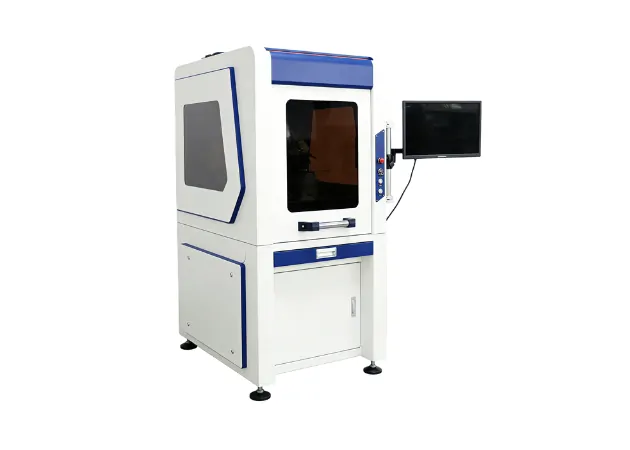
These machines come with a larger worktable and stronger cooling, so they’re built to run for longer hours. If you’re a mid-sized manufacturer with steady batch production, this is the standard setup most people go with.
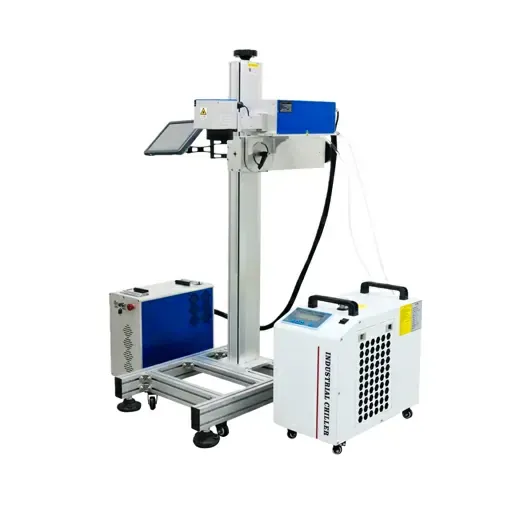
Interfaces directly with conveyor systems for real-time in-motion marking — no line stoppages. Built for high-speed packaging lines and smart factory environments.
| Type | Best For | Automation | Volume |
| Desktop Compact | Studios / sampling | Manual | Small batch |
| Floor-Standing Industrial | Mid-volume production | Semi-auto | Mid batch |
| Inline Integration | Automated lines | Fully automatic | High volume |
Pricing really depends on how you configure the system. The best approach is to request a quote based on your actual production requirements.
Pricing varies based on: laser power and tube type, galvo and lens quality, software licensing, worktable options, and after-sales service coverage. Galvo and lens quality are the components most commonly compromised in budget machines.
Look beyond the sticker price and factor in:
Marking clarity depends on beam quality (M² value), not wattage alone. Always evaluate based on actual marking samples on your target materials — not just spec sheets.
Smoke residue causes uneven marks and lens contamination. In any production environment, a dedicated extraction system is a required component — not optional. This is especially critical when processing PVC or PTFE.
Ask suppliers to demonstrate integration with your existing ERP or PLC systems before signing. Post-deployment custom development is expensive and slow.
RF and glass tubes have very different cost and performance profiles over time. Understand the implications for your production intensity before committing to a configuration.
Ask about response time commitments, spare parts availability, and real customer feedback — not just the quote.
CO₂ laser marking machines are primarily designed for non-metal materials. According to Mimowork product specifications, the applicable material is “Non-Metal”. For metal marking applications, Mimowork offers a series of fiber laser marking machines specifically designed for permanent marking on metals such as stainless steel, aluminum, and titanium.
Mimowork’s CO₂ galvo marking machines come in 180W, 250W, and 500W. Which one is right for you? That depends on your material, how deep you need to mark, and how fast you need to produce. The best way to know for sure? Run sample tests on your actual materials before you buy.
These are the two CO₂ laser source options:
Need exact lifespan numbers or pricing? Talk to your supplier. They’ll need to know how you plan to use it.
A few things can cause this. Here’s what to check:
Most operators are productive after one to three days of basic training. Initial installation, optical alignment, and system integration should be handled by qualified technicians — make sure your supplier can reliably support these stages.
Are you evaluating a CO₂ laser marking solution for your production line? Mimowork has you covered — from compact desktop units all the way up to high‑volume inline setups. Their team can also talk through what actually works for your materials and production needs.
News | Apr-24-2026
News | Apr-22-2026
News | Apr-21-2026