Blog
In a field that evolves daily, staying ahead means staying informed.
Explore in-depth articles designed to help you solve complex challenges,
maximize your machine’s ROI.
Stay ahead in a competitive market.

In a field that evolves daily, staying ahead means staying informed.
Explore in-depth articles designed to help you solve complex challenges,
maximize your machine’s ROI.
Stay ahead in a competitive market.
News | Sep-4-2026
Buyer: “I need a laser marking machine, but I don’t have much room. Does a small machine mean I have to give up marking speed or quality?”
Laser Specialist: “Not necessarily. Compact laser marking machines can still deliver fast, precise, permanent marks. The real question is what you need to mark and how large your workpieces are.”
Buyer: “I mainly work with aluminum housings and stainless steel parts. Most of them are small, but occasionally I need to mark something much larger. Should I go with a desktop or handheld machine?”
Laser Specialist: “If most of your parts are small and you want consistent positioning, a desktop fiber laser is a practical choice. For large or hard-to-move components, a handheld system gives you much more flexibility.”
Buyer: “And what about fiber versus UV?”
Laser Specialist: “That comes down to the material. Fiber is a strong choice for most metal-marking applications, while UV is better suited to sensitive plastics and other materials that require lower thermal impact.”
If you are asking the same questions, you are already looking at the right factors. This guide breaks down the main types of small laser marking machines, compares fiber, MOPA, UV, and green laser sources, and explains how to choose the right system for your materials, workpieces, and workspace.
A small laser marking machine is a compact laser system designed to create permanent marks such as serial numbers, logos, barcodes, QR codes, and product identification without taking up significant workspace.
Compact systems can be configured for different materials and applications. For example, MimoWork’s fiber laser marking machines offer working areas from 70 × 70 mm to 200 × 200 mm, with 20W, 30W, and 50W power options and marking speeds up to 8,000 mm/s.
The right machine, however, depends on more than size. Laser source, power, marking area, and workpiece size all need to match your application.
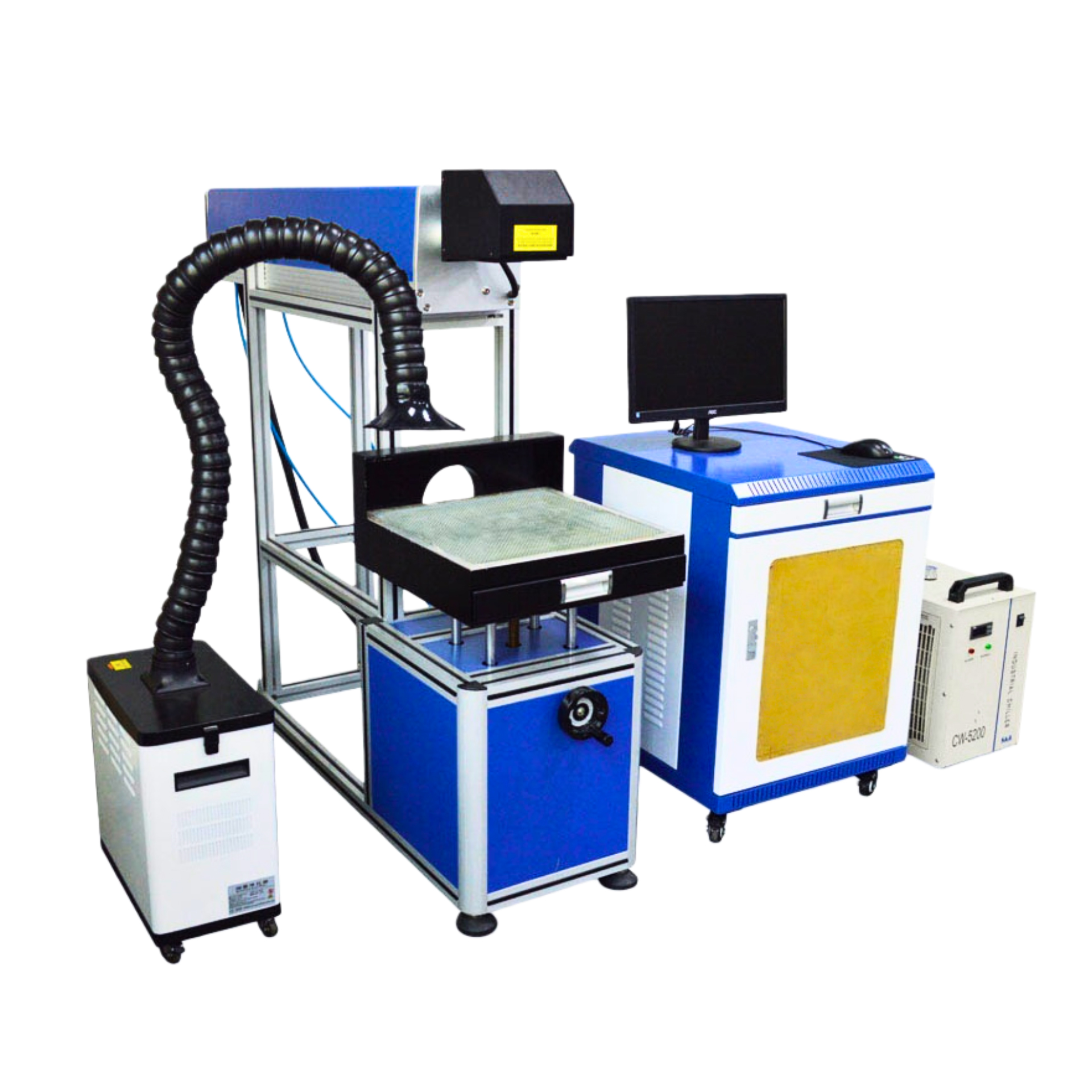
Desktop systems are designed for fixed-position marking of relatively small parts. The laser source, scanning system, and controls are integrated into a compact setup that can be installed on a workbench.
Best for:
The main advantages are repeatability, convenient operation, and efficient use of workspace.
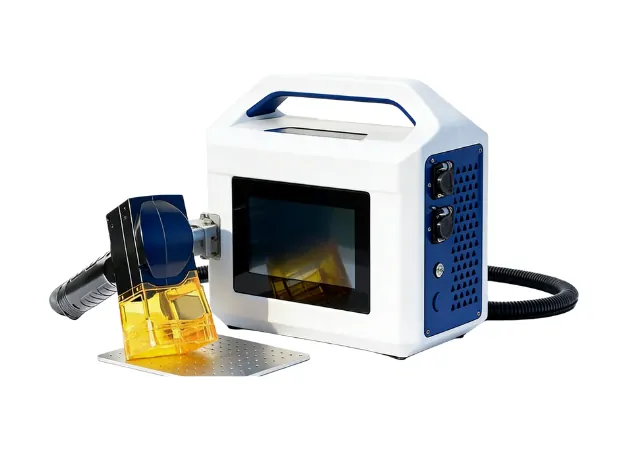
Handheld systems are better suited to large, heavy, or fixed workpieces that cannot easily be placed inside a desktop marking area.
The operator brings the marking head to the workpiece, making this configuration useful for:
| Feature | Desktop | Handheld |
| Workpiece size | Small to medium | Large or fixed |
| Positioning | Fixed and repeatable | Flexible |
| Best for | Batch marking | Large components |
| Main advantage | Consistency | Accessibility |
For small parts and repeat production, desktop systems are generally more convenient. For oversized components, handheld systems provide greater flexibility.
The laser source should be selected according to the material you need to mark.
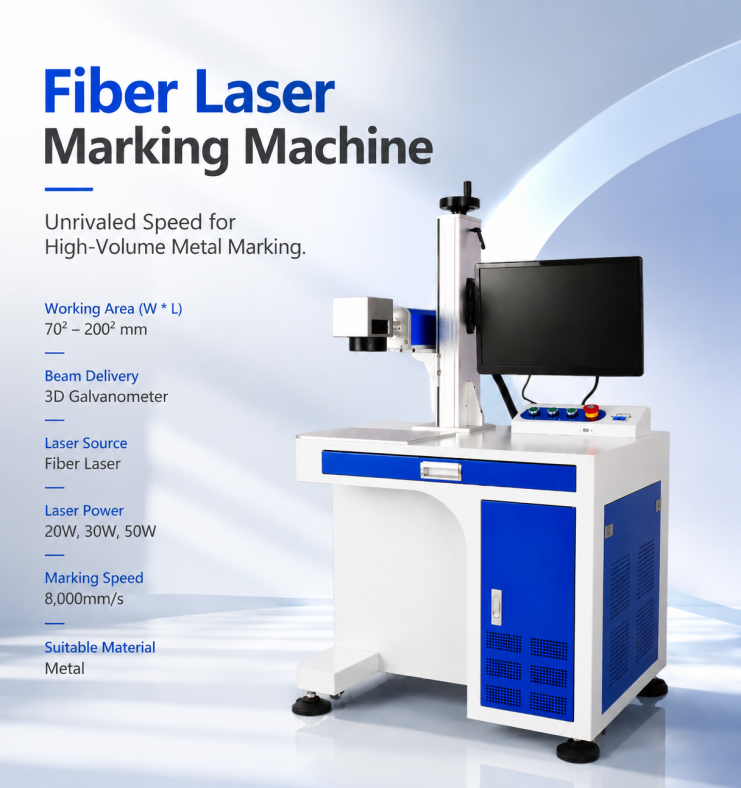
Fiber lasers are a common choice for marking metals such as stainless steel, aluminum, titanium, and other metal components.
MimoWork fiber laser marking machines are available in 20W, 30W, and 50W configurations, with marking areas from 70 × 70 mm to 200 × 200 mm and speeds up to 8,000 mm/s.
Typical applications include:
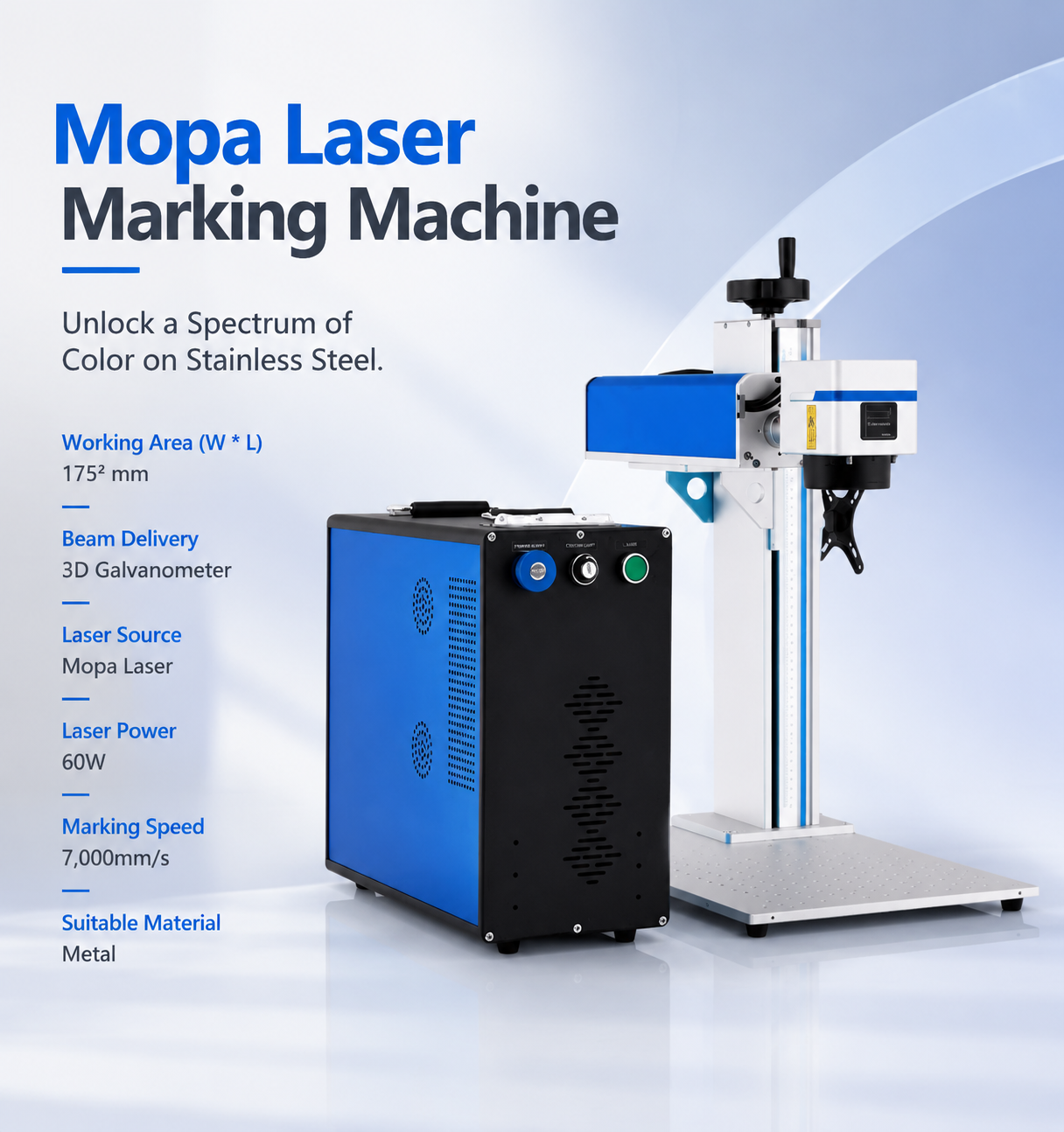
MOPA is a specialized fiber laser technology that provides greater control over pulse parameters.
MimoWork’s MOPA laser marking machine uses a 60W laser source and can reach marking speeds of up to 7,000 mm/s.
It is particularly useful for:
UV laser marking uses a 355 nm wavelength and produces less thermal impact than conventional infrared laser marking.
It is suitable for applications involving:
MimoWork UV laser marking systems are available in 3W, 5W, and 10W configurations, with speeds up to 15,000 mm/s.
Green lasers use a 532 nm wavelength and are suited to specialized applications involving reflective materials and glass.
MimoWork green laser systems are available in 5W, 10W, 15W, and 20W configurations.
Typical applications include:
| Laser Type | Wavelength | Typical Power | Main Materials | Best For |
| Fiber | 1064 nm | 20W–50W | Metals, plastics | General metal marking |
| MOPA | 1064 nm | 60W | Metals | Color and specialized marking |
| UV | 355 nm | 3W–10W | Plastics, glass, sensitive materials | Fine, low-heat marking |
| Green | 532 nm | 5W–20W | Reflective metals, glass | Jewelry and specialized applications |
Fiber and MOPA lasers are suitable for many metal-marking applications, including stainless steel, aluminum, titanium, and other metal components.
For specialized color or black marking, MOPA can provide additional flexibility.
Fiber lasers can mark many engineering plastics, while UV lasers are often better suited to heat-sensitive plastics.
Because plastic formulations vary, testing the actual material is recommended before production.
UV and green lasers can be used for glass-related applications. Green lasers are particularly useful for specialized glass and crystal engraving.
If your main application is wood, acrylic, fabric, leather, or other conventional non-metal laser materials, a CO₂ laser cutter or engraver may be more appropriate than a fiber marking machine.
Higher power can improve marking speed and engraving capability, but the highest power is not always necessary.
For example:
Choose power according to your material, marking depth, and production volume.
The working area determines the maximum design size that can be marked in one setup.
MimoWork fiber laser marking machines offer working areas from 70 × 70 mm to 200 × 200 mm.
Consider both your largest workpiece and the size of your marking design when choosing the field size.
Marking speed affects production efficiency. Fiber systems can reach speeds of up to 8,000 mm/s, while MOPA and UV systems provide different speed ranges depending on their configuration.
Actual production speed depends on the material, marking pattern, power, and required contrast.
Cooling requirements depend on the laser source and system configuration. Fiber and MOPA systems can use air-cooled laser sources, simplifying operation.
Safety is equally important. Desktop systems should use appropriate protective enclosures and interlocks, while handheld systems require suitable safety controls and operating procedures.
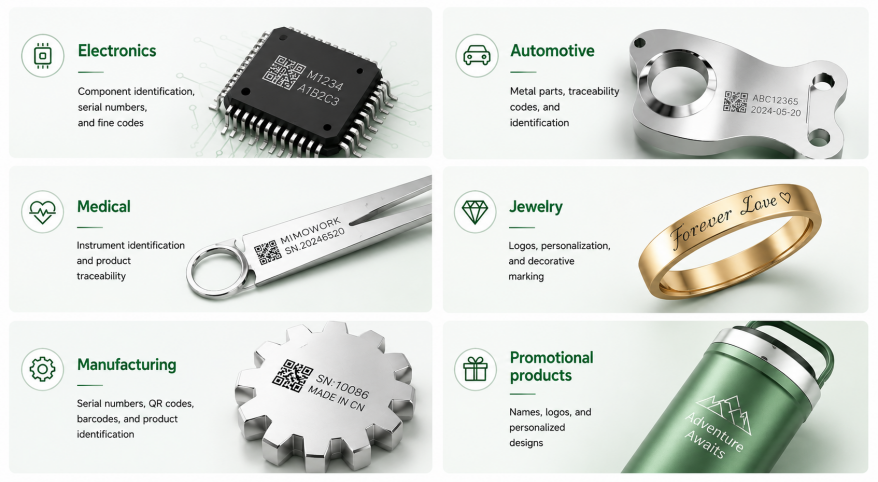
Compact laser marking systems are used in a wide range of industries.
The right laser source depends on the material and the required marking effect.
Before choosing a machine, answer these five questions:
1. What material do you mark?
Metal → Fiber or MOPA
Sensitive plastics → UV
Reflective metals or glass → Green
Wood, acrylic, fabric, and similar materials → CO₂
2. How large are your workpieces?
Small parts usually suit desktop systems. Large or fixed components may require a handheld configuration.
3. How deep does the mark need to be?
Surface marking and deep engraving require different power and processing parameters.
4. What is your production volume?
Higher production volumes may benefit from higher power, faster marking, and automation.
5. Will your application change in the future?
Consider whether you may later need a larger marking area, handheld operation, vision integration, or production-line automation.Looking for a laser marking machine specifically for metal applications? Our guide to the best laser marking machines for metal compares different configurations and key selection factors to help you choose a system based on your material, marking requirements, and production needs.
Yes. Fiber laser marking machines are widely used for permanent marking on stainless steel, aluminum, titanium, and other metals.
For general metal marking, a fiber laser is usually a practical choice. MOPA is worth considering when you need color marking, black marking, or greater pulse control.
It depends on the application. A 20W machine can handle many standard marking tasks, while 30W provides additional processing capability and can be more suitable for higher productivity.
Yes, depending on the material. Fiber lasers can mark many metals and engineering plastics, while UV lasers are often better for heat-sensitive plastics. Material testing is recommended before production.
The best small laser marking machine is not simply the smallest or most powerful option. It should match your material, workpiece size, marking requirements, production volume, and workspace.
For general metal marking, start with a fiber laser. For specialized metal effects, consider MOPA. For sensitive plastics and fine applications, UV may be more suitable, while green lasers provide advantages for reflective metals and glass.
Choose the laser source first, then determine the power, working area, and machine configuration. This approach will help you select a compact marking system that fits both your current application and future production needs.
News | Jul-30-2026
News | Aug-11-2026