Blog
In a field that evolves daily, staying ahead means staying informed.
Explore in-depth articles designed to help you solve complex challenges,
maximize your machine’s ROI.
Stay ahead in a competitive market.

In a field that evolves daily, staying ahead means staying informed.
Explore in-depth articles designed to help you solve complex challenges,
maximize your machine’s ROI.
Stay ahead in a competitive market.
News | Sep-27-2026
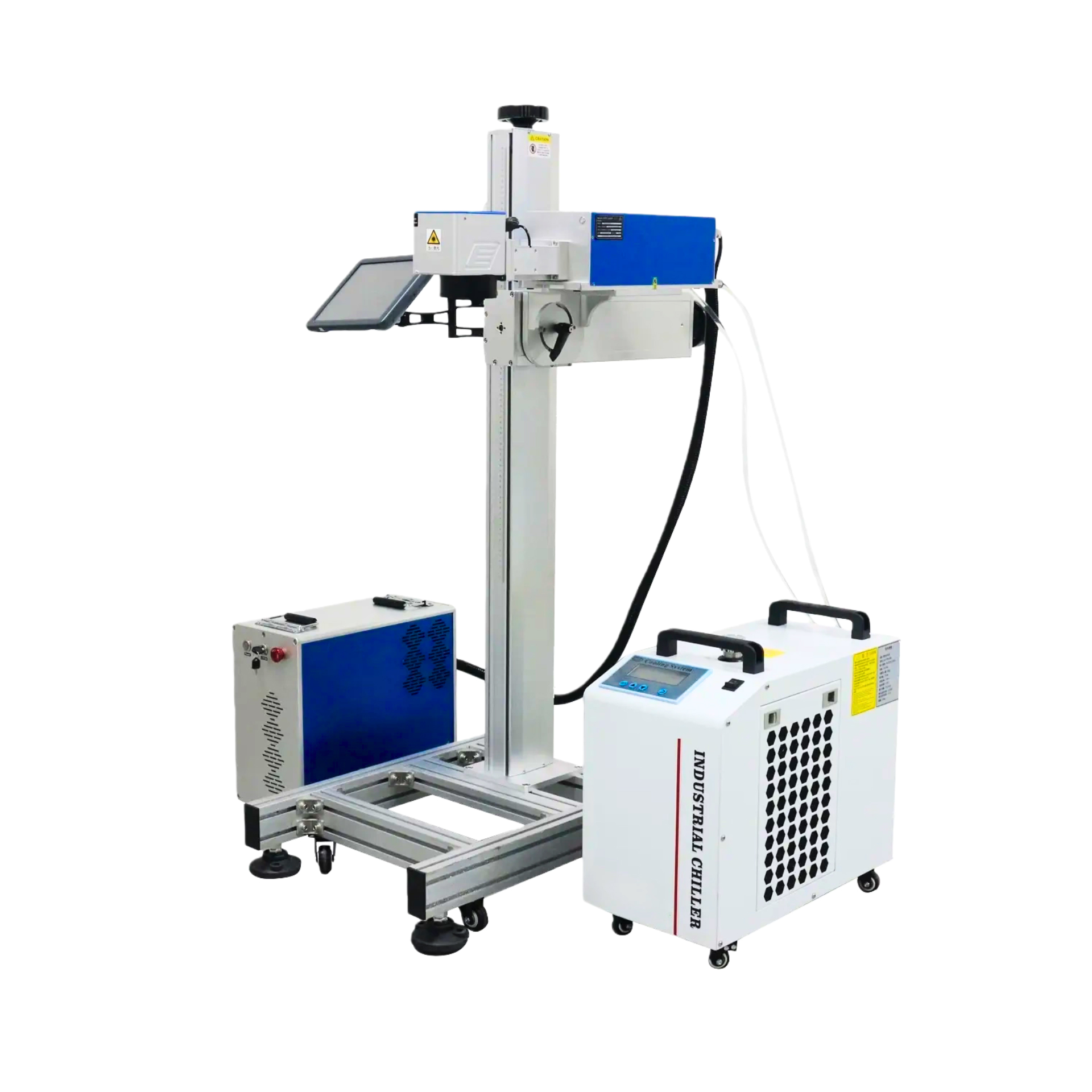
A UV laser marking machine uses a short-wavelength ultraviolet laser to create permanent marks with very low thermal impact. It is commonly used for sensitive plastics, glass, ceramics, electronics, and other applications where conventional laser marking may cause melting, discoloration, or excessive heat.
The key difference is not simply laser power. UV marking changes how laser energy interacts with the material, making it particularly useful when fine detail, surface quality, and material integrity matter.
A UV laser marking machine uses ultraviolet laser energy to modify the material surface through a photochemical process, making it suitable for fine and low-thermal-impact marking.
UV lasers typically operate at a much shorter wavelength than fiber and CO₂ lasers. The beam is focused onto a small spot and rapidly scanned across the workpiece.
At the material surface, UV energy can break molecular bonds and remove or alter a very thin surface layer. This creates text, logos, QR codes, serial numbers, and other graphics without relying mainly on deep thermal engraving.
That makes UV marking particularly useful for small components where excessive heat could affect appearance, dimensions, or surface quality.
“Cold processing” does not mean that the material experiences absolutely no heat. It refers to the relatively low thermal impact of the process compared with heat-dominated laser processing.
This can be valuable when marking engineering plastics, electronic components, glass, ceramics, and other materials that may react poorly to excessive heat.
UV laser marking is particularly useful for materials that are difficult to mark cleanly with conventional high-heat laser processes.
| Material | Why UV May Be Useful | Typical Marks |
| ABS, PC, PET and other plastics | Low thermal impact and fine detail | Logos, codes, text |
| Glass and crystal | Fine surface processing | Logos, serial numbers, QR codes |
| Ceramics and silicon | Precise surface marking | Identification and patterns |
| Electronics and components | Small focused beam | Data matrix codes, part numbers |
Plastics are one of the key applications for UV laser marking. Materials such as ABS, PC, PET, PVC, and other engineering plastics can benefit when melting, deformation, or discoloration is a concern.
Glass and crystal can also be marked with UV lasers when detailed surface identification is required. Electronics, semiconductor-related components, ceramics, and selected coated materials are other common application areas.
Still, material names alone are not enough to predict the final result. Additives, colorants, coatings, surface treatments, and material formulations can all change how the workpiece responds to UV energy. A sample test is therefore useful before production.
The main advantage of UV marking is controlled, high-resolution processing rather than simply higher marking speed.
Sensitive plastics and finished components can react poorly to excessive heat. UV marking provides a way to create permanent identification while limiting unwanted thermal effects.
This can help reduce problems such as melting, warping, discoloration, or excessive heat-affected areas.
A focused UV beam is well suited to small text, detailed graphics, QR codes, data matrix codes, and intricate patterns.
This becomes especially important for electronic components and compact manufactured parts where the available marking area is limited.
UV laser marking can create permanent identification without inks, labels, or other consumables.
For industrial applications, this can support product identification, serial numbering, traceability codes, logos, and other markings that need to remain readable during the product’s service life.
The laser source should be selected according to the material and marking requirement, not simply by choosing the most powerful machine.
| Laser Type | Common Materials | Main Strength | Typical Applications |
| UV | Sensitive plastics, glass, ceramics, electronics | Fine marking with low thermal impact | Precision identification |
| Fiber | Metals and selected plastics | Fast metal marking and engraving | Industrial parts, serial numbers |
| CO₂ | Wood, acrylic, leather and many non-metals | Strong absorption by organic materials | Engraving and cutting |
A UV laser marking machine is worth considering when material sensitivity, fine detail, or surface quality is a major concern.
Fiber lasers are commonly used for direct marking and engraving on metals. CO₂ lasers are widely used for wood, acrylic, leather, paper, and other non-metal materials.
MimoWork offers UV, fiber, MOPA, green, and CO₂ laser marking technologies. That makes the laser source a starting point for matching the machine to the material and application rather than trying to use one technology for every marking job.
Start with the material and production requirements, then use marking area, laser power, and scanning configuration to narrow down the machine.
Material should be the first filter.
A UV system may make sense for heat-sensitive plastics, glass, electronics, ceramics, and precision components. For conventional metal engraving, a fiber or MOPA laser may be a more appropriate starting point.
The actual material should also be tested before purchase, especially when the workpiece has coatings, additives, special colors, or a finished surface.
The marking field should match both the workpiece and the production workflow.
A smaller field can be practical for compact components and detailed identification. A larger field may be useful for bigger parts or when multiple small components need to be processed within one cycle.
MimoWork’s UV laser marking machine is available with working areas ranging from 100 × 100 mm to 180 × 180 mm, giving buyers several options for matching the marking field to their application.
Higher power should be justified by production requirements rather than treated as an automatic upgrade.
A lower-power UV laser can be sufficient for fine marking when production volume is modest. Higher power becomes more relevant when cycle time starts limiting throughput or when the application requires more laser energy.
MimoWork offers 3W, 5W, and 10W UV laser options, with marking speeds of up to 15,000 mm/s.
Before selecting the highest power, consider:
A higher-power laser does not automatically produce a finer mark.
The galvanometer scanner controls how the laser beam moves across the marking field, while the F-Theta lens helps maintain the required focus across that field.
MimoWork’s UV system uses a 3D galvanometer scanner and UV F-Theta lens for controlled beam delivery across the working area.
For buyers, the more useful question is whether the scanner and lens configuration can provide the required detail, consistency, and coverage for the actual parts.
UV marking is particularly useful for identification tasks that require small, readable, and repeatable marks.
These are common for traceability on electronic components, medical products, packaging, and industrial parts.
Small text, logos, patterns, and detailed graphics can be marked when surface appearance and readability are important.
PCBs, sensors, connectors, semiconductor-related components, and other compact parts can benefit from precise identification with limited thermal impact.
UV marking is most relevant in industries where traceability and surface quality need to work together.
Typical applications include:
The common requirement is not the industry itself, but the combination of material sensitivity, fine detail, and permanent identification.
Consider higher power when processing time, production volume, or marking requirements have become the bottleneck.
For occasional or lower-volume precision marking, buying the highest available power may provide little practical benefit.
A higher-power configuration becomes more relevant when:
Before upgrading, compare actual cycle time rather than relying on wattage alone. Beam quality, scanning performance, material response, marking parameters, and the required mark can all affect production results.
Yes. UV lasers are commonly considered for ABS, PC, PET, PVC, and other engineering plastics, particularly where heat could cause melting, deformation, or discoloration. The actual result depends on the material formulation and surface finish.
Yes. UV lasers can create fine marks on glass and crystal. They can be considered for detailed logos, text, identification codes, and other applications where controlled thermal impact is important.
Neither is universally better. A 10W source can be useful when production speed is the priority, while a 5W system may already meet the required throughput for many precision marking applications. Testing the actual material and marking pattern is the most reliable way to determine the required power.
Not generally. Fiber lasers are commonly used for direct metal marking and engraving. UV becomes more relevant when the application requires very fine detail, lower thermal impact, or processing of both metals and sensitive non-metal materials.
The most reliable way to select a UV laser marking machine is to test the actual workpiece before purchase.
Compare the mark contrast, detail, surface condition, marking speed, and cycle time on your real plastic, glass, electronic component, coating, or other material.
MimoWork can evaluate your material and marking requirements against its UV laser marking options, helping you determine whether UV is suitable and which power and marking-field configuration matches your production needs.
News | Sep-14-2026
News | Aug-11-2026
News | Jul-31-2026