Blog
In a field that evolves daily, staying ahead means staying informed.
Explore in-depth articles designed to help you solve complex challenges,
maximize your machine’s ROI.
Stay ahead in a competitive market.

In a field that evolves daily, staying ahead means staying informed.
Explore in-depth articles designed to help you solve complex challenges,
maximize your machine’s ROI.
Stay ahead in a competitive market.
News | Jul-21-2026
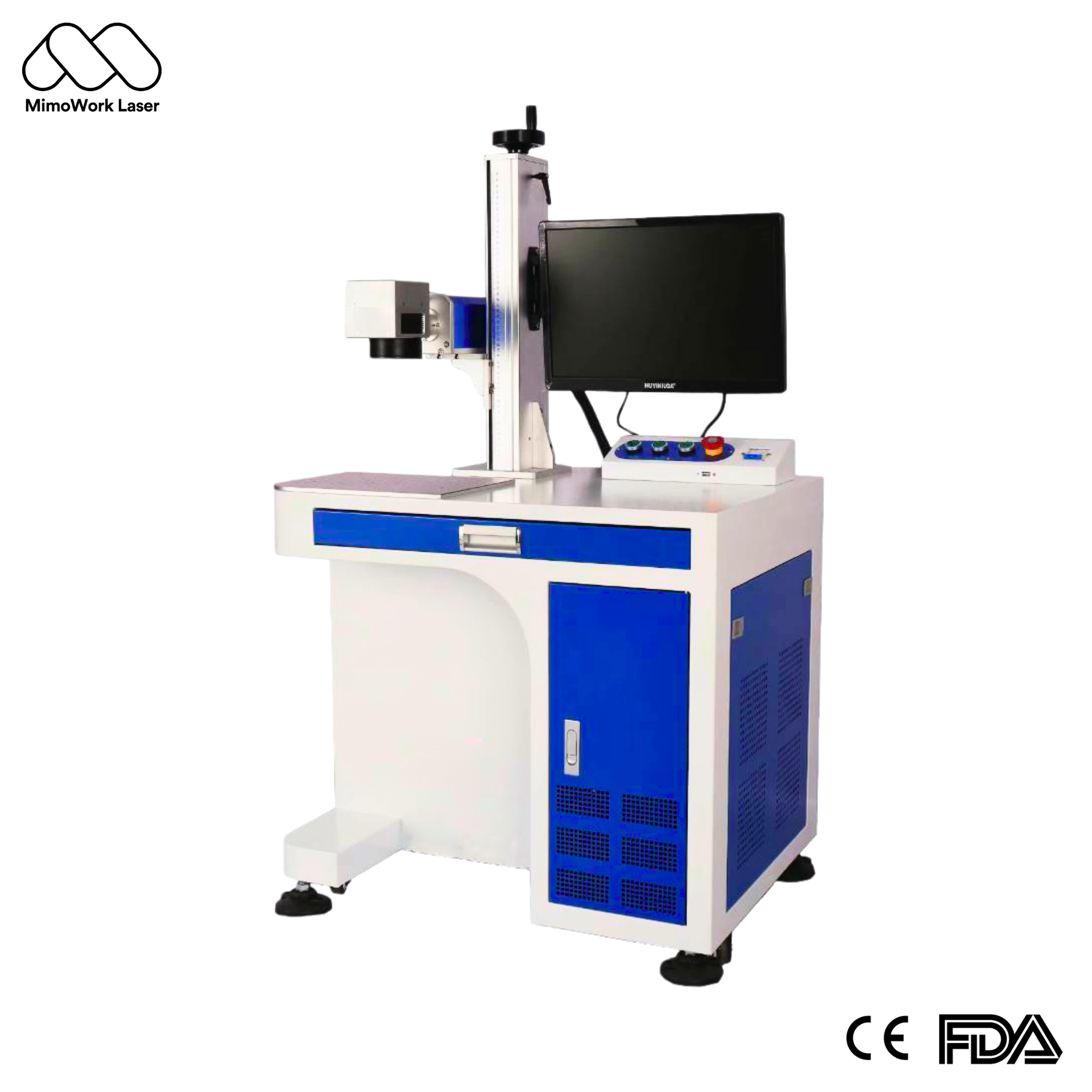
Manufacturing is moving toward more flexible and efficient production models. As product variations increase and large components become more common, traditional fixed laser marking stations are not always the most practical choice.
A handheld laser marking machine offers manufacturers a way to bring precision marking directly to the workpiece. However, choosing the right system requires more than simply looking at whether a machine is easy to move. Weight, software experience, marking consistency, and overall usability can significantly affect daily operations.
Some machines may appear convenient at first but create unnecessary challenges during production due to complicated controls or inefficient workflows.
This guide examines the real factors behind a successful handheld laser marking solution and highlights how MimoWork focuses on practical design, reliable performance, and user-friendly operation for industrial applications.
It’s a laser marker you can take to the workpiece—or move easily between workstations. Instead of being bolted to one spot, a truly portable system gives you the freedom to mark wherever the job demands.
Technically speaking: it uses a focused laser beam to create permanent marks—text, barcodes, logos, serial numbers—based on digital input. No ink. No consumables. Just light.
Common materials it handles: stainless steel, aluminum, brass, plastics, ceramics, glass, coated surfaces, leather, wood, gold, silver, titanium, and more.
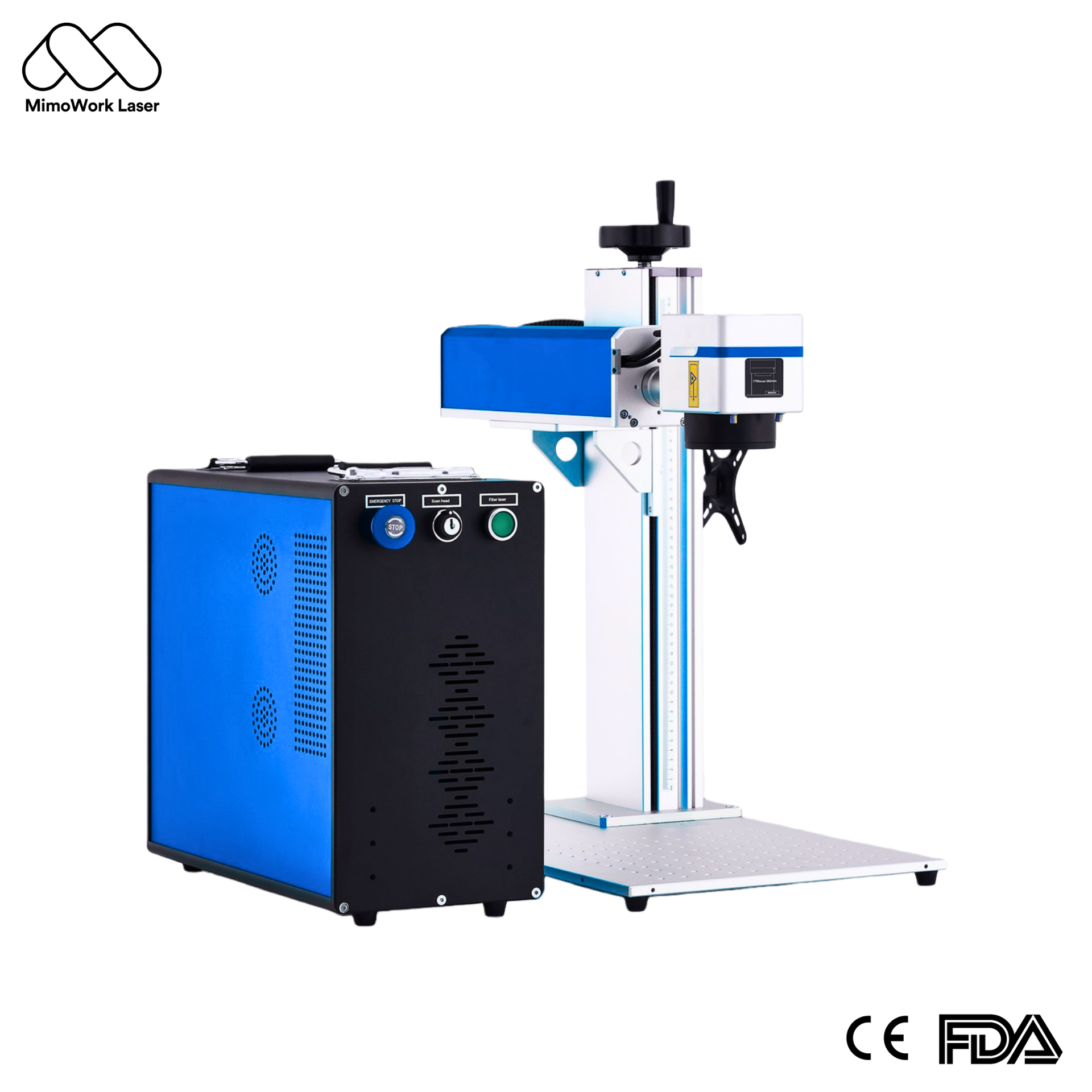
The laser source. Most portable systems use a fiber laser. It’s efficient, it’s small, and the electronics adjust power and frequency on their own.
The scanning head. This is where the beam comes out. A pair of fast-moving mirrors inside steer the laser. The head connects to the main unit through a flexible cable.
The controller. Think of it as a small built-in computer. It runs the marking software. You can type text, import a logo, or generate barcodes and QR codes right on the screen. It reads standard file formats like PLT, DXF, and BMP.
The power supply. Air-cooled. No water chiller. That’s what keeps the whole thing light enough to carry and move around.
Here is a table comparing portable laser marking machine with a traditional one.
| Aspect | Portable | Traditional |
| Design | Integrated, lightweight unit | Separate controller, laser, and workstation. Fixed in place |
| Mobility | Carry it to the job, move between stations | The job comes to it |
| Best for | Flexible production, small batches, custom work, field service | High-volume lines, small parts, fixed setup |
| Cooling | Air | Water |
| Energy use | Much lower | Higher |
| Speed | Generally faster per mark | Slower |
| Operating cost | Low | Higher |
The principle is simple: three steps in milliseconds. What sets MimoWork apart is how we execute it. Our advanced pulse control prevents heat from building up, so plastics stay intact and metals stay sharp. No burn-through. No melting. Just clean, permanent marks—every time.
Step 1: Generate the beam.
A fiber laser source pumps out a concentrated beam of light. The key ingredient is a strand of optical fiber doped with ytterbium. Efficiency runs above 20%. That’s good enough for air cooling and even battery power.
Step 2: Steer the beam.
The beam hits two tiny mirrors inside the scanning head. Each mirror tilts on a precision motor. One handles the X axis. The other handles Y. The controller reads your design file and tells those mirrors exactly how to move. Accuracy lands around ±0.01 mm. Speed is two to three times faster than older systems.
Step 3: Create the mark.
The focused beam hits the material. One of two things happens. Either it vaporizes a microscopic layer to expose the material underneath. Or it changes the surface oxide structure to create a dark, high-contrast mark. Either way, the result is permanent. No inks. No chemicals. Just heat and light.
A portable laser marking machine gives manufacturers greater flexibility when marking components that are too large, heavy, or difficult to move to a fixed workstation.Common applications include:
Jewelry and Custom Gifts
This is where portable laser marking truly shines. Unlike fixed machines that require you to bring each piece to the workstation, a portable system lets you work directly with the item—whether it’s a ring, a necklace, or a one-of-a-kind gift.
• Ring Engraving: Mark names, dates, or custom messages inside rings with precision. The portable design allows you to position the head at the optimal angle for curved surfaces, something fixed machines struggle with.
• Precious Metals: Gold, silver, platinum, and titanium all mark beautifully with a fiber laser. Create high-contrast logos, delicate patterns, or deep engravings that last a lifetime.
• Custom Gifts: From personalized lighters and steel tumblers to leather wallets and wooden keepsakes, a portable laser marker lets you add that extra touch that turns an ordinary item into a cherished memory.
• Small Batch Production: Whether you’re a jeweler fulfilling custom orders or a gift shop personalizing items on demand, portability means you can set up quickly, mark a few pieces, and pack up just as fast—no dedicated workshop space required.
Personalization and Retail
Retail environments, trade shows, and pop-up shops benefit enormously from a portable system. Imagine offering on-the-spot personalization—engraving a customer’s name on a purchase right at the counter. It creates an unforgettable experience and drives sales.
Small Workshops and Maker Spaces
Not every shop has the floor space for a massive laser workstation. A portable system tucks away when not in use and rolls out when you need it. Perfect for prototyping, custom fabrication, and short-run production.
Industrial Applications (Limited)
While portable systems can handle some industrial tasks—like marking serial numbers on large parts or field repairs—the heavy-duty, high-volume industrial marking is better left to dedicated fixed systems. For most shops, the real value of a portable laser marker lies in flexibility, customization, and the ability to mark a diverse range of materials and products.
Selecting the perfect laser engraver can be overwhelming. To get professional results, focus on these three key factors: laser power, material compatibility, and production setup. This guide breaks down exactly what you need to know.
Power determines three things: marking speed, how deep you can engrave, and what materials you can handle.
• 20W: Ideal for jewelry, gifts, and light-duty marking. It handles shallow marks on metals, plastics, leather, and wood with ease. Low heat buildup means it’s safe for delicate items like rings and thin materials. Perfect for small shops and custom work.
• 30W: The sweet spot for most users. It’s noticeably faster than 20W, gives you enough depth for most applications, and handles a wider range of materials. Great for workshops that do a mix of jewelry, gifts, and light industrial work.
• 50W and up: If you’re pushing high volumes, working with harder materials, or need deep engraving, go here. Just keep in mind—higher power means higher demands on cooling and power supply.
Different laser sources work on completely different materials. Picking the wrong type is a bigger mistake than picking the wrong power.
Fiber (1064nm): The workhorse for metals—stainless, aluminum, brass, copper, gold, silver—and some hard plastics like ABS and PC. This is what you need for jewelry, metal gifts, and industrial metal marking.
MOPA: An upgraded fiber. The big plus? You can get black, gray, and even light gold contrast marks on stainless steel, and really crisp black marks on anodized aluminum. Great for high-end jewelry and premium gifts.
UV (355nm): The “cold” laser. It marks glass, ceramics, and thin-film plastics without cracking or burning them. Excellent for delicate items and specialty materials.
CO2 (10600nm): This doesn’t work on metals at all. It’s built for organics—wood, leather, acrylic, paper, fabric, rubber. If those are your main materials, CO2 is a better fit than fiber.
In practice, about 80% of jewelry and gift marking jobs can be handled by a standard fiber laser. MOPA and UV are upgrades for niche applications—nice to have, but not must-haves for most shops.
Form Factor: Portable vs. Fixed
Machine footprint and mobility determine how and where you’ll use it. This is the most overlooked factor during purchasing—and the exact reason many industrial marking machines end up neglected in a warehouse corner.
Lens Marking Area: 110×110mm vs. 175×175mm Lens
Your field lens choice dictates your final marking quality.
110×110mm Field Lens (The Best All-Rounder): This is your go-to standard. It delivers the sharpest laser spot size and unmatched edge-to-edge consistency. Choose this if your application requires tiny text, intricate jewelry patterns, or high-density QR codes.
175×175mm Field Lens (For Larger Items): While it covers a larger working area, the laser beam spot gets slightly bloated at the edges, meaning fine detail will suffer. Go larger only if you are marking bigger items with modest precision requirements.
Pro Tip: If you need to mark large items with high-density details, stick with the 110mm lens and reposition the marking head.
Portable vs. Benchtop: The Honest Take
Benchtop Lasers: If you have a dedicated workspace and your items can be brought to the machine, a benchtop design offers rock-solid stability and perfect repeatability for batch production.
Portable Lasers: Choose portable when you need flexibility—moving between workstations, working on items that are awkward to bring to a machine, or setting up in different locations. For jewelers, gift shops, and small workshops, portability is a game-changer.
Touchscreen controls and PC-free operations sound excellent on product data sheets. However, before you place an order, verify these two critical specs:
Sunlight Readability: Can your operators actually read the touchscreen in bright conditions?
File Format Compatibility: Does the control system natively accept your existing design files (DXF, PLT, AI, etc.)? Many buyers discover after delivery that they must convert every file beforehand, adding an inefficient step to their daily workflow.
Power Source: AC Power vs. Battery Powered Lasers
AC Power Mains: The gold standard for indoor use. It offers stable power distribution, continuous runtime, and zero headache.
Battery-Operated Lasers: Great for remote fieldwork, but remember: runtime and peak output power are deeply intertwined. High-power deep engraving drains batteries rapidly, and long-term battery replacement cost is a significant line item.
Most portable laser markers promise mobility but deliver compromise—heavy units, clunky 90s software, and endless parameter guesswork. MimoWork takes a completely different approach. We combine lightweight industrial engineering, high-accuracy laser marking, and smart standalone operation into one purpose-built portable laser engraver. Our systems are engineered for one single mission: solving the real-world headaches of mobile marking—so you stay productive, not frustrated.
Portable shouldn’t mean punishing. MimoWork’s systems are engineered to be light enough to carry and move between workstations without strain. Set up in minutes, mark with precision, and pack away just as fast.
Many portable lasers lose fine detail near the edges of the marking area. That’s why barcodes fail to scan and intricate jewelry patterns lose their crispness.
MimoWork solves this with precision-calibrated field lenses that maintain an ultra-fine laser spot size across the full marking field. Edge distortion stays low. Heat input stays controlled. The result? Crisp barcodes, intricate jewelry engravings, and micro-text on everything from precious metals to delicate polymers—without the burn marks or melting that plague cheaper systems.
Remember the glitchy 1990s-style software we mentioned? MimoWork leaves that behind. Our smart touchscreen controller is built for the shop floor—not a desk. No complex drivers. No file conversion headaches. Just instant serialization and QR code generation right out of the box. It also reads standard DXF, PLT, and AI files directly, so you can mark immediately without wasting time converting formats. The interface is intuitive enough that new operators can get it right on the first try—no physics degree required.
A field machine is only as good as its screen. MimoWork’s high-brightness display is engineered for direct sunlight readability, so you’re not squinting outdoors. The dust-resistant, shock-proof enclosure takes the abuse of workshop floors and job sites alike. Inside, a fiber laser source rated for 100,000 hours minimizes unplanned downtime—keeping your work moving when it matters most.
MimoWork systems feature advanced power regulation that prevents output fluctuation, even during deep engraving. Whether you’re on steady AC power or variable field supply, marking quality stays consistent—no guesswork, no re-dos.
We also stand behind every machine. Standard coverage includes a 2-year fiber source warranty and 1-year full-component warranty. Flexible priority support plans are available to match your strict production uptime requirements. When your work stops, so does your revenue. We take that seriously.
Our portable markers tackle a huge range, from metals and plastics to ceramics, leather, wood, and coated substrates. The exact capability depends on the model and laser type—contact us with your specific material for a definitive answer.
Absolutely. Curved surface marking is where portable laser systems truly excel. Unlike a fixed lens locked in position, a portable system gives you the flexibility to position the head at the optimal angle for rings, bracelets, and other curved items.
The choice comes down to your priority: speed, flexibility, and low running costs (laser marking) vs. deep material removal (CNC engraving).
Here’s a quick breakdown of why most modern workshops prefer portable laser marking:
| Feature | Portable Laser Marking | CNC Engraving |
| Marking Speed | 1–3 seconds | Minutes to tens of minutes |
| Consumables | None (100,000-hr laser life) | Cutting bits, fluids—ongoing cost |
| Portability | Lightweight—move it anywhere | Fixed table—item must be clamped |
| Material Stress | Zero contact, no deformation | Physical cutting force applied |
| Precision | 0.01–0.05 mm spot size | Limited by tool diameter (≥0.5 mm) |
| Cleanup | Minimal (fumes only) | Chips, coolant, dust |
In short, choose portable laser marking for speed, flexibility, and low operating costs; choose CNC engraving when your application requires significant material removal.
The shift toward flexible, on-demand production isn’t a future trend—it’s today’s operational reality. A portable laser marking machine delivers exactly what modern workshops, jewelers, and custom gift businesses demand. MimoWork systems are built with this reality in mind. The air-cooled fiber source eliminates water chiller maintenance. The standalone touchscreen interface removes dependency on external PCs. The lightweight design means you can take it anywhere—from the workbench to the showroom floor.
We invite you to verify the results on your own material. Request a free sample marking.
News | Jun-25-2026
News | Jun-30-2026