Blog
In a field that evolves daily, staying ahead means staying informed.
Explore in-depth articles designed to help you solve complex challenges,
maximize your machine’s ROI.
Stay ahead in a competitive market.

In a field that evolves daily, staying ahead means staying informed.
Explore in-depth articles designed to help you solve complex challenges,
maximize your machine’s ROI.
Stay ahead in a competitive market.
News | Nov-2-2026 | Mimowork
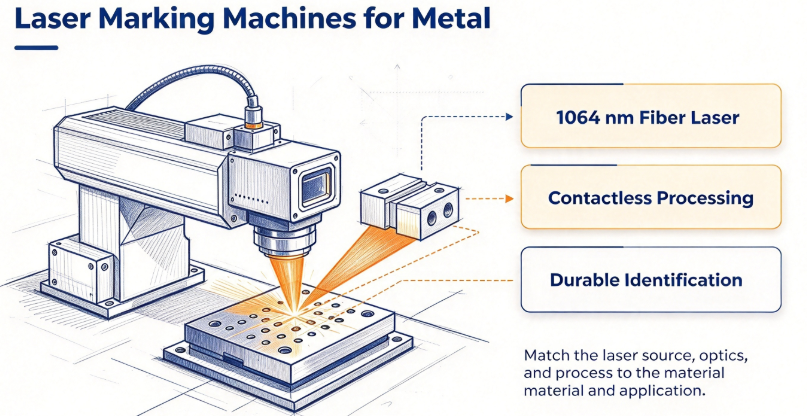
Metal identification must remain clear and readable throughout a part’s service life. Serial numbers need to stay legible, barcodes must scan reliably, and logos should retain their detail after handling and cleaning.
Choosing a laser marking machine for metal means matching the laser source, marking method, and processing parameters to the material and application. Fiber lasers work well with many metals, but contrast and durability depend on the alloy, surface finish, and marking technique.
This guide covers marking methods, laser specifications, parameter optimization, and MimoWork solutions to help you select a suitable industrial system.
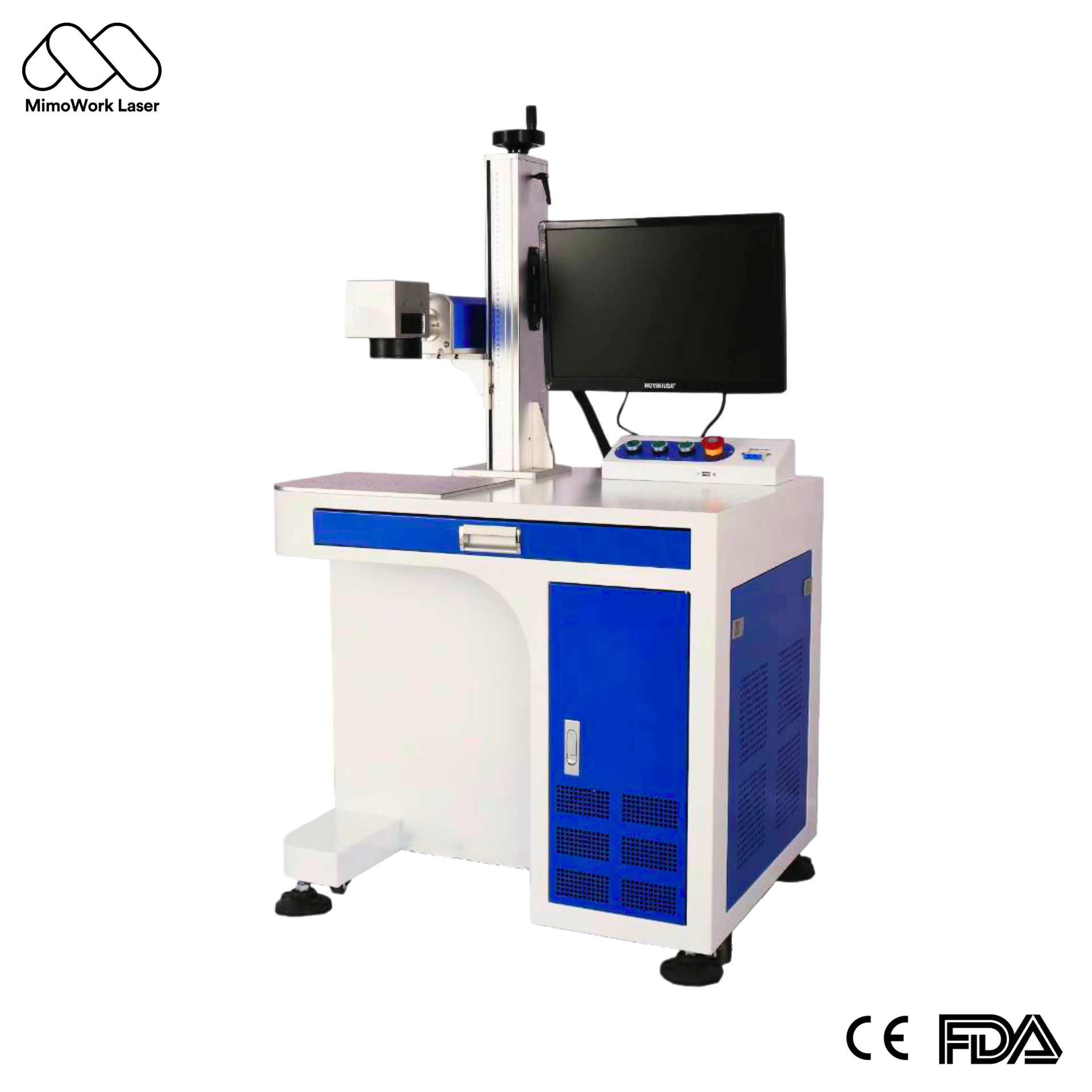
Fiber laser marking systems offer precise beam control, fast processing, and repeatable results without physical contact with the workpiece.
Fiber lasers commonly operate around 1064 nm, making them suitable for marking stainless steel, carbon steel, aluminum, and brass. However, surface reflectivity, alloy composition, coatings, and finish influence how each material responds.
For manufacturers choosing a fiber laser marking machine for metal, versatility is a major advantage. Parameters must still be calibrated for each material and application.
Laser marking changes the material surface or removes a controlled amount of material, rather than relying on ordinary surface ink. Depending on the process, it can create engraved recesses, textured marks, or heat-induced color changes.
Durability depends on mark depth, material, surface treatment, and operating conditions. For traceability applications, test resistance to abrasion, cleaning agents, and temperature exposure. A dark mark is not automatically a durable mark, and barcode readability should be verified separately.
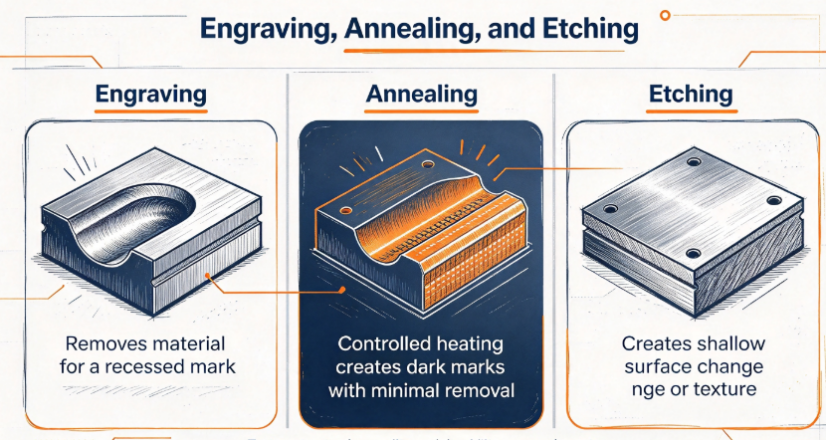
The best method depends on the desired appearance, material, and functional requirements. Engraving removes material, annealing changes the surface through controlled heating, and etching creates a relatively shallow mark.
| Material | Common Marking Methods | Key Considerations |
| Stainless steel | Annealing, surface engraving, deep engraving | Annealing can create dark marks with limited material removal; engraving adds physical depth |
| Aluminum | Surface engraving, etching, anodized coating marking | Bare and anodized aluminum respond differently to laser energy |
| Brass | Surface engraving, controlled material removal | Reflectivity and alloy composition affect consistency |
For laser engraving stainless steel, deeper engraving suits applications requiring a recessed or tactile identifier. Annealing is often preferred for dark marks with minimal material removal, including identification plates and certain medical components.
For laser marking aluminum, first identify whether the surface is bare, anodized, coated, or finished. Anodized aluminum can produce strong contrast when the coating is processed appropriately, while bare aluminum may require different settings.
Brass also requires careful calibration because its reflective surface and alloy composition can affect marking consistency.
Dark stainless steel marks can result from controlled heating that changes the surface through oxidation. Bright, frosted marks may result from surface texturing or material removal that scatters reflected light.
A MOPA laser marking machine provides adjustable pulse duration, offering additional control over heat input and surface effects. It can be useful for specialized color marking and coating-sensitive applications, but achievable results vary by alloy and finish. Test representative parts before production.
Prioritize laser power, marking area, required detail, mark depth, and cycle time. Higher power can improve throughput or material removal in suitable applications, but it does not automatically produce better contrast.
Common fiber laser options include 20 W, 30 W, and 50 W. The appropriate configuration depends on the material, artwork, number of passes, and production target.
| Laser Configuration | Typical Applications | Selection Considerations |
| 20 W fiber laser | Serial numbers, logos, light surface marking | Suitable for many routine identification tasks |
| 30 W fiber laser | General-purpose marking and higher production demands | Offers additional processing capacity |
| 50 W fiber laser | Faster processing or deeper marking | Can increase throughput or material removal |
| MOPA fiber laser | Specialized surface effects and color marking | Offers greater pulse-control flexibility |
Choose power by testing the required mark at the target cycle time. Small QR codes may prioritize fine detail and consistent contrast, while recessed identifiers may require greater energy or multiple passes.
Also check thermal sensitivity. Excessive energy can cause unwanted discoloration, roughness, or coating damage.
The field lens determines the usable marking area. A larger field accommodates bigger parts or more items per cycle, while a smaller field may be better suited to applications requiring fine details.
Expanding the marking field can affect focused spot size and energy density, depending on the optical configuration. This may influence small text, thin lines, and edge definition.
When selecting a metal laser marking field lens, consider the largest workpiece, required character size, and fixture layout. Confirm the actual marking range and detail quality using a representative sample rather than choosing the largest field by default.
Related guide:https://www.mimowork-laser.com/blog/best-laser-marking-machine-for-metal-2026-buying-guide
Reliable results require balancing frequency, scanning speed, power, and hatch spacing. Change one variable at a time, then compare contrast, edge quality, and cycle time.
Frequency controls the number of laser pulses per second. Scanning speed determines how quickly the beam moves, while hatch spacing sets the distance between adjacent scan lines in filled areas.
Slower scanning can increase energy delivered to a given area, but excessive heat may damage the finish. Tighter hatch spacing can create more uniform filled marks while increasing processing time and heat accumulation.
Use a parameter matrix on sample parts instead of relying on universal presets. Record successful settings by material, surface finish, and part geometry to improve repeatability.
Vector files work well for text, outlines, and logos requiring clean contours. Raster processing is often suitable for filled areas and pixel-based graphics.
For serial numbers and barcodes, prioritize legibility, contrast, and scanning reliability. Check line widths, quiet zones, dimensions, and alignment. For logos, ensure that thin strokes and small gaps remain distinguishable after marking.
Verify file scale and fixture positioning before production. Correct laser settings cannot compensate for inaccurate artwork or inconsistent workholding.
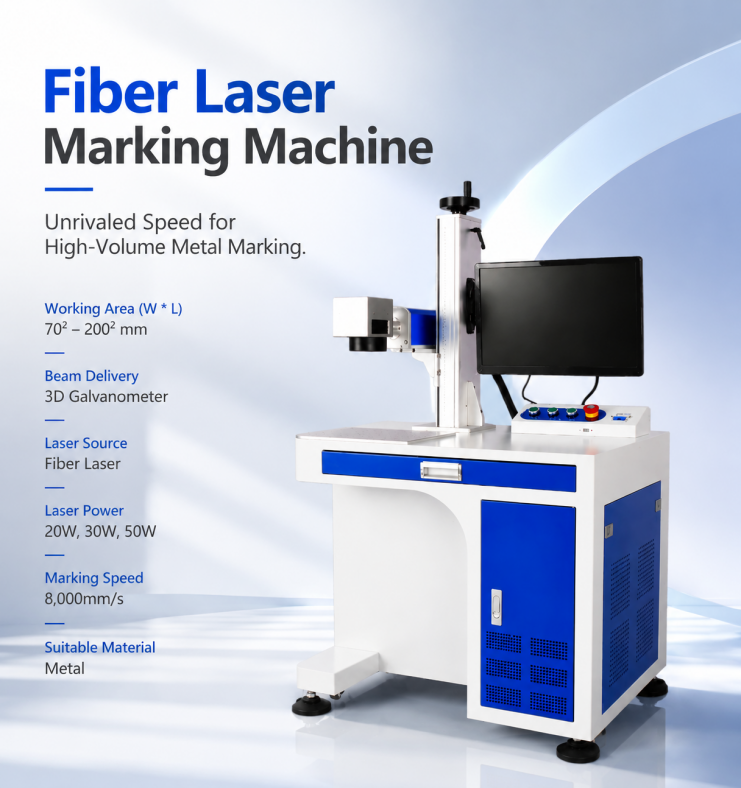
MimoWork offers fiber laser marking configurations for industrial identification and marking tasks. Selection should reflect workpiece dimensions, required marking area, workflow, and safety requirements.
A desktop system can suit workshops processing individual parts, samples, and small batches. An enclosed workstation may be preferable when the application requires a defined marking area, improved containment, and additional operator protection.
MimoWork fiber laser marking options include 20 W, 30 W, and 50 W configurations, with marking fields ranging from approximately 70 × 70 mm to 200 × 200 mm. Maximum marking speeds can reach 8,000 mm/s under suitable conditions; actual throughput depends on the material, artwork, and settings.
Before selecting a system, confirm the enclosure design, workholding, extraction requirements, and applicable safety provisions. Evaluate interlocks and protective measures as part of the complete machine configuration.
A compatible rotary attachment turns cylindrical workpieces during marking, making it useful for suitable tools, tubes, rings, and other rounded components.
Compatibility depends on workpiece diameter, length, weight, geometry, and fixture arrangement. Test the artwork on the actual part and consider how fixture changes will affect production time if you process both flat and cylindrical components.
Engraving removes material to create a recess. Annealing uses controlled heating to change the surface appearance, often producing dark marks on suitable stainless steel with minimal material removal. Etching generally creates a shallower surface change or texture. Evaluate the actual result rather than relying on terminology alone.
A standard fiber laser marking machine is designed primarily for marking and engraving, not metal sheet cutting. Cutting requires a dedicated laser cutting system with appropriate power, optics, motion control, assist gas, and safety provisions.
Fiber laser sources are often rated for tens of thousands of operating hours, depending on the manufacturer, model, and operating conditions. The complete machine may require maintenance or replacement of other components sooner. Check the manufacturer’s specifications, warranty, and service recommendations.
High-contrast, permanent marking starts with the right combination of laser power, optics, marking method, and validated parameters.
Send MimoWork your metal type, surface finish, marking artwork, required mark depth, and production targets. Request an application assessment to identify a suitable fiber laser configuration and test marking quality on representative parts before committing to your production setup.
News | Sep-11-2026
News | Sep-4-2026