Blog
In a field that evolves daily, staying ahead means staying informed.
Explore in-depth articles designed to help you solve complex challenges,
maximize your machine’s ROI.
Stay ahead in a competitive market.


In a field that evolves daily, staying ahead means staying informed.
Explore in-depth articles designed to help you solve complex challenges,
maximize your machine’s ROI.
Stay ahead in a competitive market.
News | Nov-1-2026 | Mimowork
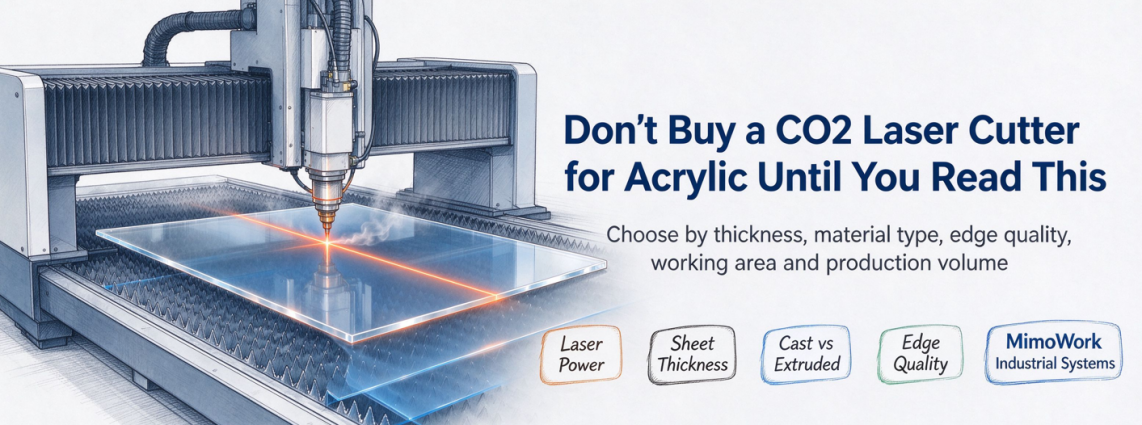
Choosing a co2 laser cutter acrylic system requires more than comparing laser power. An acrylic laser cutting machine must match your sheet thickness, material type, edge-finish requirements, working area, and production volume. CO2 lasers can produce precise cuts and smooth, transparent-looking edges on suitable acrylic, but incorrect settings can lead to cloudy edges, excessive melting, wasted material, and unnecessary finishing work.
This guide explains how CO2 lasers process acrylic, which specifications matter most, how cast and extruded acrylic differ, and how to evaluate MimoWork industrial systems for your production needs.
A CO2 laser cutting machine for acrylic is well suited to processing acrylic because the material absorbs infrared laser energy efficiently. With suitable parameters, the laser can cut acrylic cleanly while producing polished-looking edges that often require little or no additional finishing.
A CO2 laser typically emits infrared radiation at approximately 10.6 μm. Acrylic, commonly known as polymethyl methacrylate (PMMA), absorbs this energy and converts it into heat. The material melts and vaporizes along the programmed cutting path, allowing the laser to separate the sheet without mechanical contact.
This process supports intricate contours, narrow kerfs, and repeatable cutting of signs, display components, lighting panels, machine guards, and custom acrylic parts.
However, the outcome depends on the acrylic formulation, thickness, surface protection, and cutting parameters. Verify material compatibility before processing because unknown plastics may release hazardous fumes when heated by a laser.
Yes, CO2 laser cutting can produce smooth, glossy acrylic edges by melting and resolidifying the cut surface, creating a flame-polished appearance without extra polishing.
The finish depends on laser power, cutting speed, focus, and acrylic quality. Cast acrylic often delivers better results, but bubbles, roughness, or uneven edges can still occur. Test samples before production, especially when optical clarity or tight tolerances matter.
Prioritize laser power, working area, motion performance, and exhaust capacity according to your material and production targets. A machine that cuts thin acrylic efficiently may not be the best option for thick sheets or large-format manufacturing.
Higher CO2 laser power can support thicker acrylic cutting or faster processing, provided the optics, motion system, and operating parameters are suitable. There is no universal power-to-thickness rule because acrylic grade, required edge quality, and production speed all influence the result.
The following ranges are preliminary selection references, not guaranteed cutting specifications.
| CO2 laser power | Potential acrylic applications | Key considerations |
| 40–60W | Thin sheets, small components, and detailed designs | Cutting speed and edge consistency |
| 80–100W | General-purpose acrylic fabrication | Sheet thickness, throughput, and finish |
| 100–150W | More demanding production and thicker-sheet applications | Heat control, focus, and verified cutting results |
| 150–300W | Selected industrial cutting workflows | Production volume, motion performance, and process validation |
Use these ranges to narrow the initial shortlist, then test the intended acrylic thickness on the proposed machine. Compare cutting time, edge clarity, kerf width, dimensional accuracy, and the amount of finishing required.
Choose an enclosed desktop system for smaller parts, prototypes, limited floor space, and relatively low production volumes. A large-format industrial system is more appropriate when your workflow involves bigger sheets, nested layouts, frequent batch processing, or higher throughput.
| Machine format | Best suited to | What to check |
| Compact working area | Prototypes, small signs, and short runs | Maximum part dimensions and loading access |
| Medium working area | General fabrication and batch production | Nesting efficiency and sheet handling |
| Large-format working area | Large panels and industrial sheet workflows | Floor space, loading method, and usable cutting area |
| Conveyor or pass-through configuration | Selected long-material or continuous workflows | Material support, positioning, and safety design |
Cast vs extruded acrylic laser cutting involves different material behaviors, edge appearances, and process adjustments. Both types can be laser cut, but the best option depends on appearance requirements, thickness tolerances, downstream fabrication, and the consistency of the material supply.
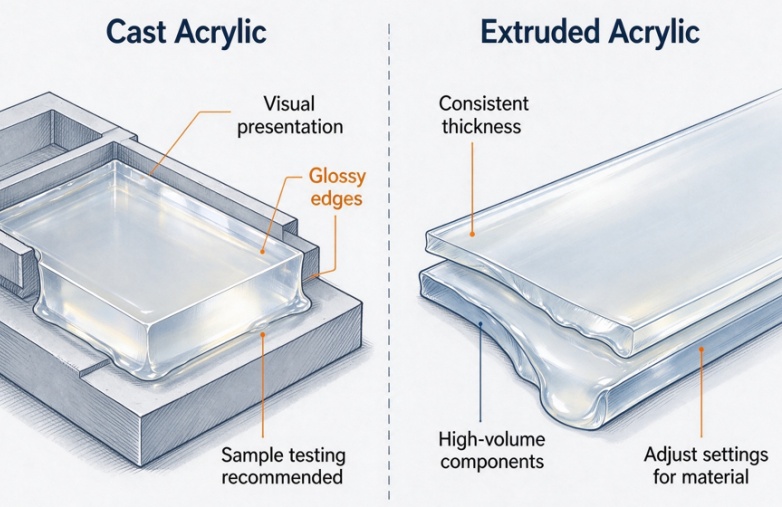
Cast acrylic is produced by casting liquid acrylic material into molds. It is commonly selected for display components, signage, decorative products, and applications where the appearance of laser-cut edges matters.
Under suitable conditions, cast acrylic can produce clear, glossy edges and works well for many intricate designs. Its thickness and internal properties can vary by product, so production samples should still be tested.
Cast acrylic is often preferred when visual presentation is a priority. However, laser-cut edges may still require inspection for bubbles, localized burning, or dimensional variation, particularly on thicker sheets.
Extruded acrylic is manufactured through a continuous extrusion process and often offers consistent thickness and economical sheet production. It can be suitable for high-volume components, covers, and general fabrication.
Compared with cast acrylic, extruded grades may show more pronounced melting or a different edge appearance under the same laser settings. This does not make them unsuitable for laser cutting; it means the process should be adjusted to the specific material.
The most common mistakes are using unsuitable settings, repeating cuts without diagnosing the cause of failure, and overlooking focus or airflow. These issues can increase heat accumulation, damage edges, waste sheets, and reduce dimensional accuracy.
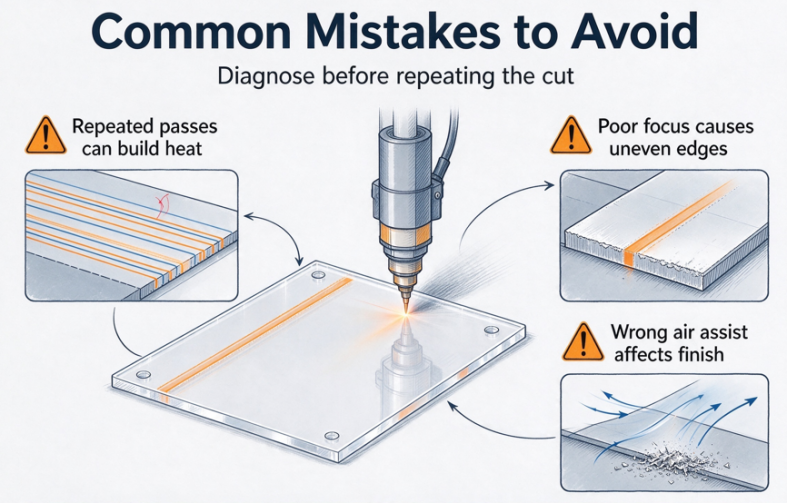
Repeated passes may be necessary in some applications, but they should not be the default response to an incomplete cut. Additional passes can increase heat accumulation, widen the kerf, deform the edge, and affect nearby material.
If the laser does not cut through the sheet, first check the material thickness, actual laser output, focus, cutting speed, and optical condition. Then run controlled tests to determine whether a different parameter combination or machine configuration is required.
A single validated pass may be preferable when it delivers the required cut quality and throughput. For thicker acrylic, verify the process rather than assuming multiple passes will solve the problem.
Incorrect focus can produce an uneven kerf and inconsistent energy distribution. Excessive heat or unsuitable processing conditions may contribute to bubbles, rough edges, or localized material damage.
Air assist should be configured for the material and cutting task. Too little airflow may allow debris and heat to accumulate, while excessive or poorly directed airflow may disturb the cutting process or affect the finish.
Acrylic can also develop stress-related cracking during later fabrication or assembly. If cracking occurs, review the material grade, machining conditions, edge condition, and any subsequent chemical exposure or mechanical loading. Test the complete manufacturing process rather than attributing every crack to laser settings alone.
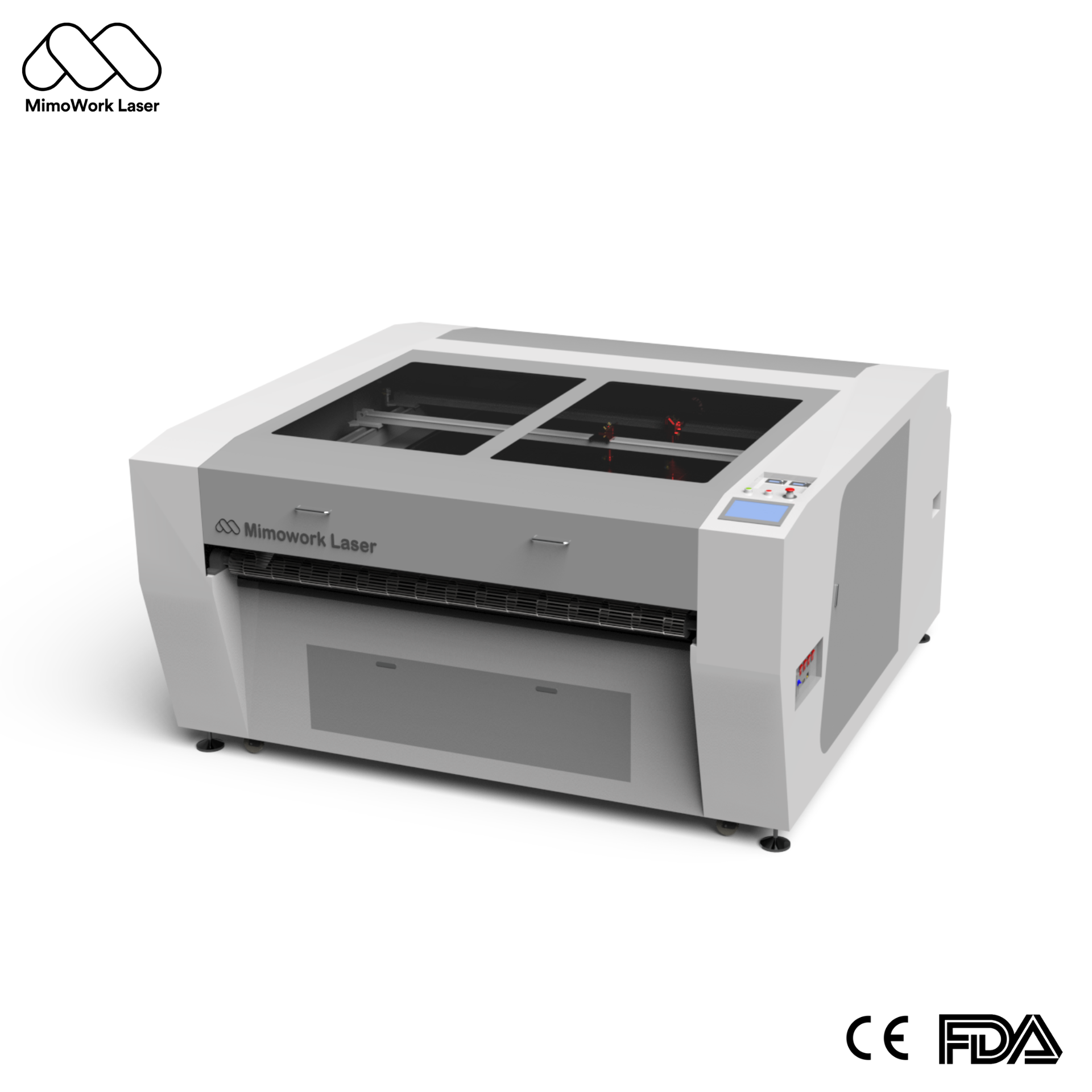
MimoWork offers CO2 laser cutting configurations for different sheet sizes and production requirements. Buyers should match the machine’s working area, power configuration, and motion system to their parts and throughput targets, then verify edge quality with actual acrylic samples.
Motion control affects how accurately the laser follows the cutting file, particularly around small details, curves, and repeated components. Stable motion and appropriate acceleration settings help maintain dimensional consistency when paired with suitable laser parameters.
When evaluating a system, review positioning requirements, the complexity of the cutting file, expected cycle time, and the consistency required across production batches. Do not treat a motor type alone as proof of finished-part accuracy; assess the complete machine and its demonstrated results.
The working area should accommodate the largest sheet or part layout used in production. A suitable bed size can reduce repositioning and support efficient nesting, but actual material utilization also depends on part spacing, kerf width, sheet margins, and loading requirements.
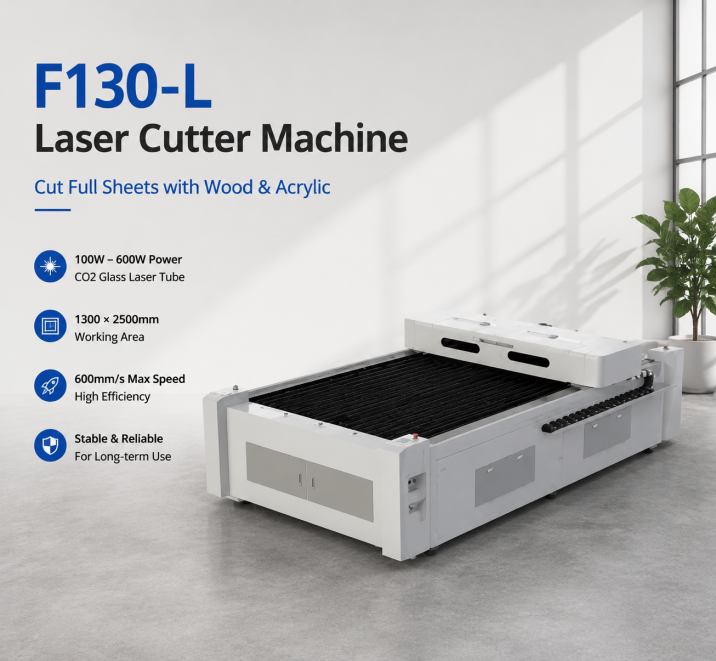
MimoWork’s F160 has a 1600 × 1000 mm working area and specified CO2 laser configurations from 100W to 300W. For larger sheet workflows, the F130-L provides a 1300 × 2500 mm working area with selected configurations from 100W to 600W.
Confirm the required power, available configuration, and usable cutting area with MimoWork before selecting a machine for a particular acrylic thickness.
Laser cutting acrylic produces fumes and airborne emissions that must be managed with a properly designed extraction system. Effective extraction removes contaminants from the cutting area, helps maintain visibility, and reduces deposits inside the machine.
An industrial installation should be evaluated for airflow, duct design, filtration or treatment needs, and compliance with applicable workplace requirements. Enclosure design, interlocks, fire precautions, and operator procedures are also essential.
Related guide: https://www.mimowork-laser.com/blog/the-essential-role-of-a-laser-marking-fume-extractor-in-modern-manufacturing-2
Laser cutting 10mm acrylic may be feasible with a CO2 laser in the approximate 100–150W range, but this is only a starting point for testing, not a guaranteed specification. The result depends on the acrylic grade, actual laser output, optics, focus, cutting speed, and required edge finish.
First, verify whether the protective film is suitable for laser processing and follow the acrylic supplier’s instructions. Some films may discolor, leave residue, or create additional fire and fume risks when exposed to the laser.
Use validated cutting parameters, suitable air assist, and effective extraction. Keep the cutting bed clean and inspect both the cut edge and the surrounding surface. If film residue persists, test an approved alternative protection method on sample material before changing the production process.
A co2 laser cutter acrylic solution should be selected according to material type, thickness, edge-finish expectations, sheet dimensions, and production volume.
Ready to cut acrylic with confidence? Send MimoWork your acrylic specifications, sheet dimensions, and cutting files for a tailored CO2 laser solution. Test real cutting performance, edge quality, and production efficiency before investing in your laser system.
News | Oct-31-2026