Blog
In a field that evolves daily, staying ahead means staying informed.
Explore in-depth articles designed to help you solve complex challenges,
maximize your machine’s ROI.
Stay ahead in a competitive market.


In a field that evolves daily, staying ahead means staying informed.
Explore in-depth articles designed to help you solve complex challenges,
maximize your machine’s ROI.
Stay ahead in a competitive market.
News | Nov-18-2026 | Mimowork
A compact laser marking machine solution helps manufacturers integrate permanent product marking into limited production spaces without automatically sacrificing marking quality or workflow flexibility. As factories add more equipment, expand production lines, and introduce traceability requirements, floor space becomes an increasingly important part of equipment selection.
A smaller machine, however, is not necessarily a better production solution. Manufacturers need to consider the laser source, optical configuration, cooling, extraction, safety enclosure, and integration requirements together. This guide explains how to evaluate compact marking systems for different industrial environments.
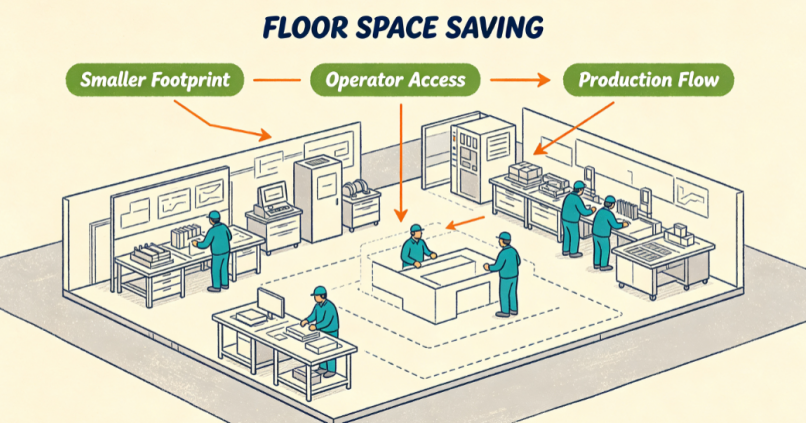
Large marking cabinets can occupy valuable floor space that could otherwise support assembly, inspection, or material handling. In high-density workshops, even a small increase in equipment footprint may affect operator access and production flow.
A compact workstation can help make better use of existing space, particularly when marking is only one step in a larger manufacturing process. However, manufacturers should evaluate the complete installation footprint, including the control unit, extraction equipment, fixtures, cable routing, and operator access.
Retrofitting a marking station into an existing conveyor line can be challenging when space is limited. A large standalone cabinet may require changes to the conveyor layout or additional material transfer steps.
A smaller laser marking head and separately positioned controller may offer more flexible installation options. Depending on the product movement and marking position, the system can be mounted above or beside the conveyor. Encoder synchronization and suitable triggering controls may also be required for marking moving products.
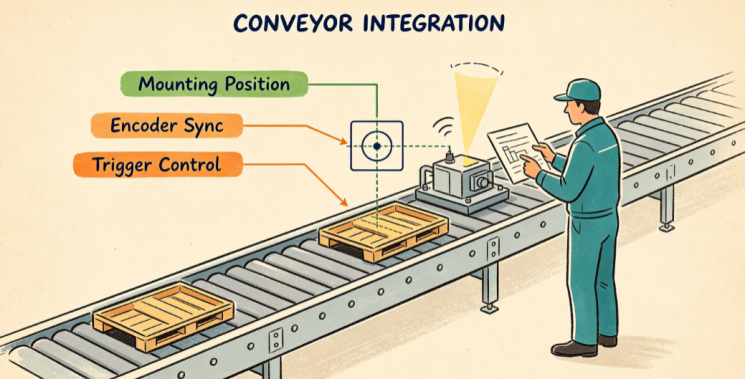
Traditional cabinet-style equipment remains useful when operators need an enclosed workstation, integrated fixtures, or a dedicated processing area. But it may be unnecessarily bulky for applications that only require a compact marking head and controller.
A modular design can separate the laser source, scanning head, controller, and workstation enclosure. This allows manufacturers to arrange components according to available space rather than relying on one large machine cabinet.
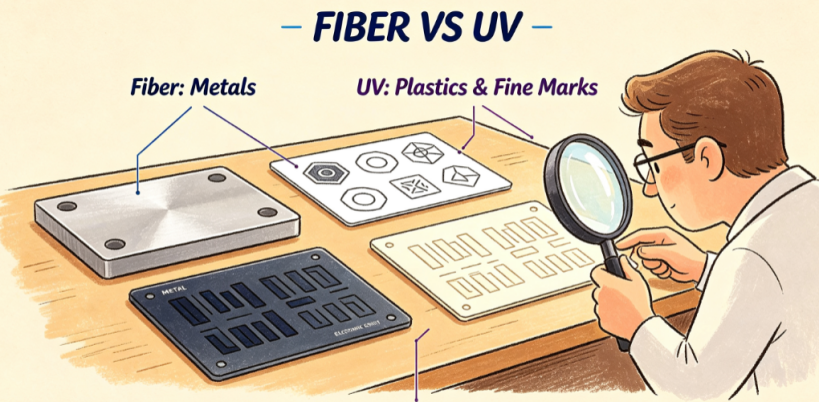
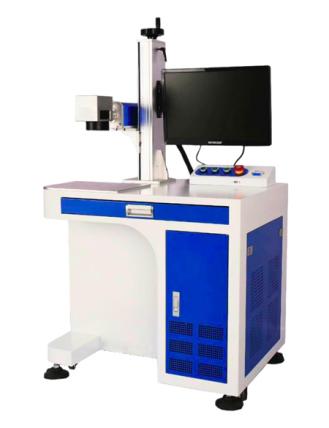
The laser source influences both the machine configuration and the materials it can process. A fiber laser marking machine is widely used for metal components, including stainless steel and aluminum.
A UV laser marking machine is often evaluated for selected plastics, electronic components, and applications requiring fine details or a relatively small heat-affected area.
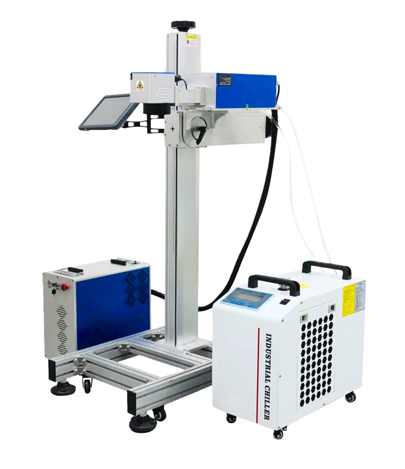
Both technologies can be incorporated into compact configurations. The choice should be based on material compatibility, marking contrast, required detail, and processing speed rather than physical size alone.
Related guide:https://www.mimowork-laser.com/blog/fiber-laser-marking-machine-guide
Galvo scanning systems direct the laser beam across the marking field using controlled mirrors. Their compact optical arrangement makes them suitable for applications where a large mechanical motion system is unnecessary.
Modular controllers can also be positioned separately from the marking head. This is useful when the available installation space is restricted or when the marking head needs to be mounted within an existing production line.
The final layout should still account for cable length, ventilation, access for maintenance, and the required optical working distance.
Compact marking systems are available in different layouts:
| Configuration | Typical application | Main consideration |
| Desktop workstation | Small components and batch marking | Work area and enclosure dimensions |
| Integrated marking head | Conveyor and automated production lines | Mounting position and synchronization |
| Modular system | Existing workstations with limited space | Separate component placement and cabling |
| Handheld marking equipment | Selected large or difficult-to-move workpieces | Operator handling and positioning consistency |
A desktop system is suitable when components can be brought to a fixed workstation. For larger machinery or on-site inspection, handheld equipment may be considered where the application requires direct access to the marking surface. It is important to distinguish these use cases from automated in-line marking, which generally requires more controlled positioning.
A smaller machine does not automatically mean slower marking. Processing performance depends on the laser source, scanning system, material, marking content, and selected parameters.
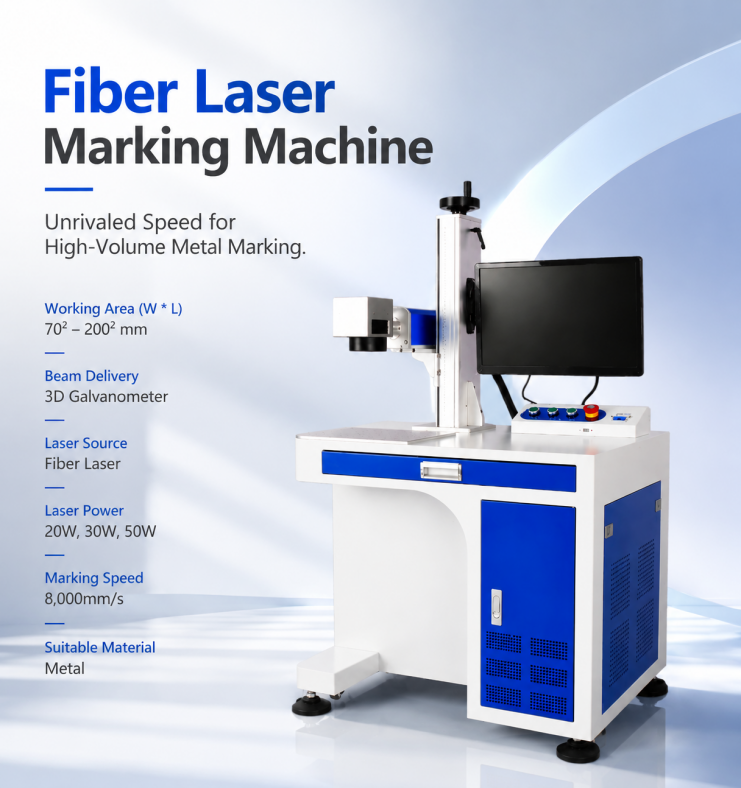
For example, MimoWork fiber marking configurations support scanning speeds of up to 8,000 mm/s. This specification does not represent the actual processing speed for every material or design. Complex graphics, deep engraving, and high-contrast requirements may require different settings.
Thermal stability also matters during extended operation. Manufacturers should evaluate heat accumulation in the laser source, controller, and scanning head under their expected production conditions.
Air-cooled systems can simplify installation because they do not require a separate water-cooling circuit. However, adequate ventilation and operating-temperature control are still necessary.
Some laser sources or high-duty-cycle applications may require dedicated cooling arrangements, including compact chillers. These add equipment, space, and maintenance requirements, so the cooling method should be confirmed against the laser manufacturer’s specifications.
A compact enclosure should never be assumed to support continuous 24/7 operation without checking its rated duty cycle, ambient temperature limits, and cooling capacity.
Small components often need dense identification marks within limited surface areas. These may include serial numbers, micro-text, and Data Matrix or QR codes.
Marking quality depends on optical resolution, focal position, field size, material response, and code dimensions. A smaller marking field may be useful for fine details in some configurations, but it does not guarantee better results.
For applications involving codes smaller than one centimeter, manufacturers should test the actual code size and verify readability with the scanners used in production.
A compact system may require less installation space and can be easier to position within an existing workstation. Some configurations may also reduce transportation and handling requirements.
However, a smaller footprint does not automatically mean a lower purchase price. Laser source, enclosure, safety features, automation, and extraction equipment all influence the total investment.
Energy use should be evaluated using the rated power consumption of the complete system, not the laser output power alone. Cooling equipment, extraction fans, controllers, and other accessories also contribute to operating demand.
Manufacturers can compare equipment consumption under actual operating conditions and consider suitable standby procedures during production breaks. A compact design by itself does not guarantee lower energy use.
Modular components can make some maintenance tasks easier because individual units may be accessed or serviced without dismantling an entire production cabinet.
Before selecting a system, check access to the scanning head, controller, protective windows, filters, and cooling components. A practical maintenance layout can reduce unnecessary downtime, but it does not eliminate routine inspection or servicing.
Not necessarily. Marking performance depends on the laser source, optical components, field lens, material, and processing settings. A compact system can deliver precise marking when properly configured, but the actual result should be verified through sample testing.
Yes, modular configurations can support changes in fixtures, marking files, and workstation arrangements. However, changing materials or product dimensions may require new parameters, positioning adjustments, or additional fixtures.
A desktop system can be designed as a fully enclosed workstation, but Class 1 classification depends on the complete laser product and its safety design. Enclosure integrity, interlocks, viewing windows, access points, and other safeguards must be evaluated as part of the finished system.
The system needs sufficient airflow and a cooling design matched to its rated operating conditions. Manufacturers should confirm ambient temperature limits, ventilation clearances, duty cycle, and thermal performance with the equipment supplier before planning continuous operation.
Extraction requirements depend on the material and marking process. MimoWork offers extractor configurations including the M model, rated at 390 m³/h, and the W model, rated at 690 m³/h. The appropriate option should be selected according to smoke generation, filtration requirements, connection size, and workstation layout.
A compact marking system should fit your production process, not simply occupy less space. MimoWork provides fiber laser marking configurations from 20W to 50W, with marking fields ranging from 70 × 70 mm to 200 × 200 mm. System arrangements can be evaluated for standalone workstations and selected production-line applications.
Share your available installation dimensions, material samples, marking files, component drawings, and production requirements with the MimoWork team. Our engineers can help assess the marking configuration, workstation arrangement, extraction needs, and potential integration approach.
Request a sample marking test and discuss a layout proposal based on your actual production environment. This helps verify marking quality and equipment suitability before you commit valuable factory space to a new workstation.
News | Nov-14-2026
News | Sep-14-2026