Blog
In a field that evolves daily, staying ahead means staying informed.
Explore in-depth articles designed to help you solve complex challenges,
maximize your machine’s ROI.
Stay ahead in a competitive market.


In a field that evolves daily, staying ahead means staying informed.
Explore in-depth articles designed to help you solve complex challenges,
maximize your machine’s ROI.
Stay ahead in a competitive market.
News | Sep-26-2026
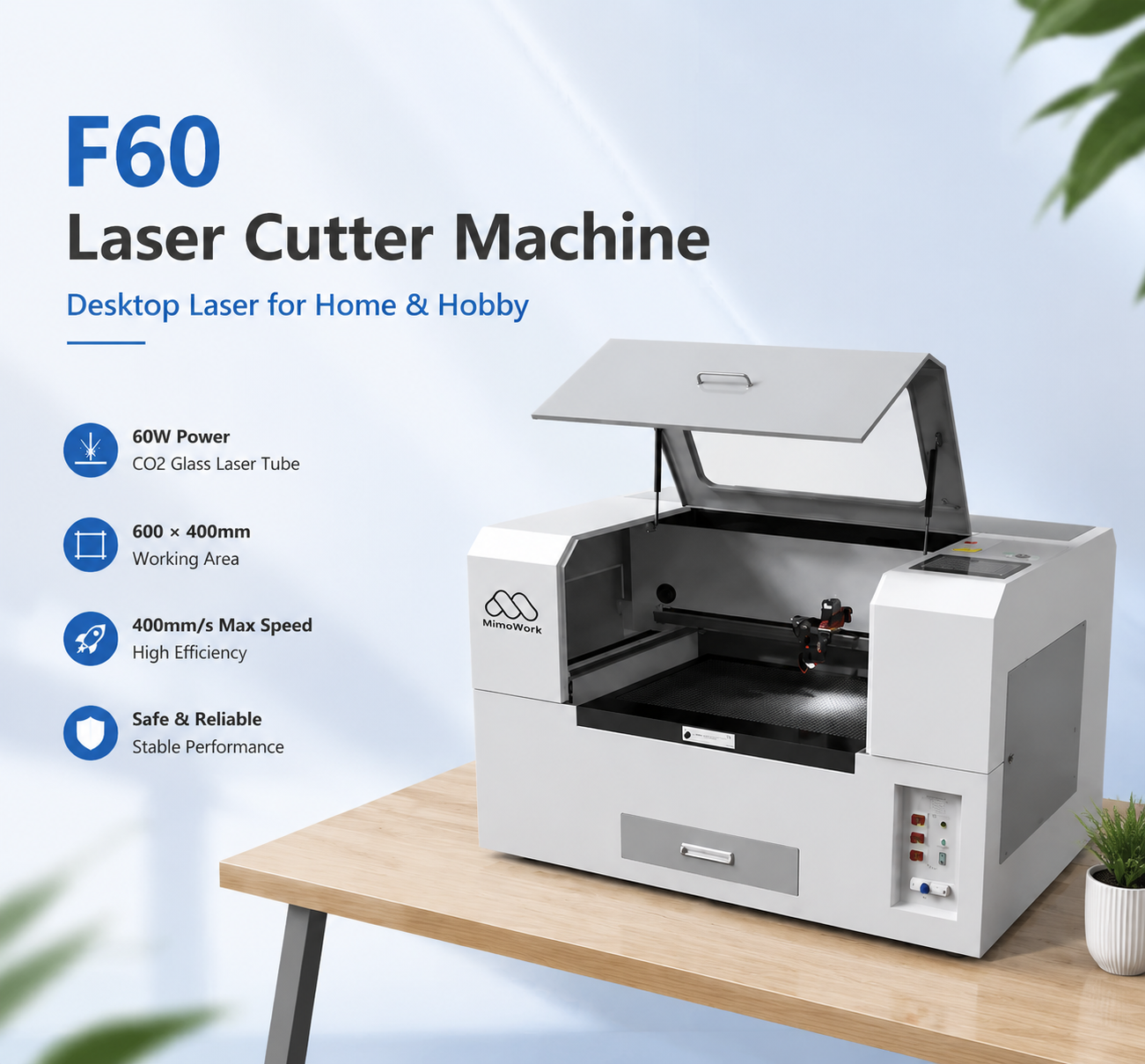
A CO2 laser engraver with rotary combines the versatility of a CO2 Laser Cutter with a rotary attachment that allows cylindrical and conical objects to be engraved. While the flat working table is designed for materials such as wood, acrylic, leather, fabric, and paper, the rotary device holds and rotates curved products so the laser can process their surfaces.
This configuration allows one CO₂ laser system to handle both flat-material processing and personalized products such as tumblers, bottles, wine glasses, cans, and vases. For businesses working with different product shapes and materials, adding a rotary device can extend the practical applications of a CO₂ laser without requiring a separate machine for curved-surface engraving.
A conventional CO₂ laser processes a flat workpiece by moving the laser head across the working area. A rotary attachment changes the way the workpiece moves.
The product is secured in the rotary device and rotated in coordination with the laser processing path. As the object turns, different sections of its curved surface are brought into the correct position for engraving.
The basic workflow is:
This approach makes CO2 laser engraving for curved surfaces practical without requiring a separate engraving machine for every product shape.
The main advantage of a rotary setup is that it expands the types of products a CO₂ laser can process.
Personalized drinkware is a common application for rotary laser engraving. A suitable rotary device can hold cylindrical products while the laser creates text, patterns, graphics, or other designs around the surface.
For users looking for a CO2 laser engraver for tumblers, the important considerations are not only laser power but also the product diameter, length, material, and rotary compatibility.
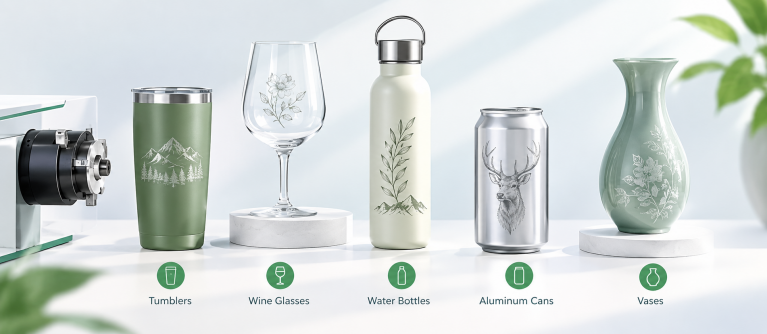
Rotary processing can also be used for compatible wine glasses, vases, and other curved products. The shape of the object determines how it should be mounted and focused.
MimoWork’s rotary device is specifically presented for applications including tumblers, wine glasses, water bottles, aluminum cans, and vases.
For glass applications, CO₂ laser processing can be used for suitable glass and crystal products, including wine glasses and vases.
A rotary attachment does not replace the flat working table. The same CO₂ laser can still be used for conventional applications involving materials such as:
This combination is one reason a rotary-equipped CO₂ system can be useful for customized-product production: the machine can switch between flat and curved workpieces according to the job.
The difference is mainly the geometry of the workpiece and how it moves during processing.
With flat engraving, the material remains stationary on the worktable. With rotary engraving, the cylindrical or conical product rotates while the laser processes its surface.
| Feature | Flat Laser Engraving | Rotary Laser Engraving |
| Workpiece | Flat or sheet material | Cylindrical or curved product |
| Workpiece movement | Stationary | Rotates during processing |
| Typical applications | Signs, panels, crafts, leather | Tumblers, bottles, glasses, vases |
| Key dimension | Working area | Product diameter and length |
| Main setup concern | Material positioning | Product mounting and focus |
For example, a wooden sign can be placed directly on the bed, while a tumbler needs to be held and rotated so the engraving follows its circumference.
A rotary attachment is only one part of the overall system. The machine should be matched to the materials, product sizes, and production volume you actually handle.
Laser power should be selected according to the processing task.
For engraving, factors such as focus, speed, material response, and design detail can be more important than simply choosing a higher wattage. If the machine will also be used for cutting, material thickness and required cutting speed become more important.
The right question is therefore not simply “How much power do I need?” but “What materials and processes will this machine handle most often?”
The flat working area determines how much sheet material can be processed in one operation.
For rotary applications, however, you also need to consider:
These specifications can determine whether a particular cylindrical product can be processed efficiently.
Curved surfaces require careful positioning because the distance between the laser lens and the material changes with the shape of the product.
Accurate positioning and appropriate focusing help maintain consistent engraving quality. For businesses processing products with different dimensions, features such as auto focus or positioning assistance can also simplify setup.
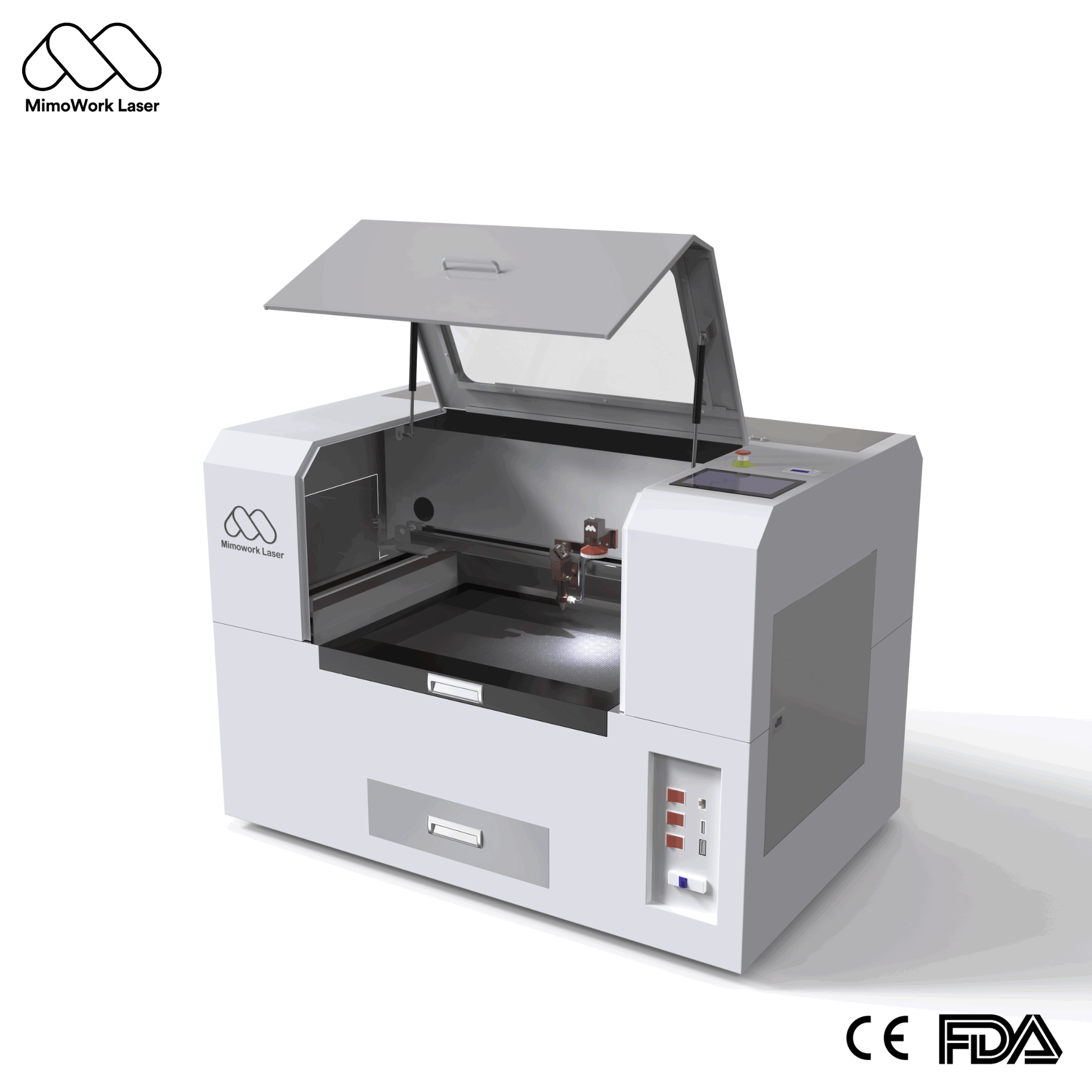
For users who need a compact CO₂ system that can handle both flat materials and personalized cylindrical products, the F60 provides a relevant configuration.
The F60 is a 60W CO₂ laser cutter with a 600 × 400 mm working area and a maximum speed of 400 mm/s. Its standard configuration includes a CO₂ glass laser tube, water cooling, air assist, and fume extraction.
More importantly for rotary applications, the F60 lists a Rotary Device as an optional upgrade. The device is designed for personalized products such as tumblers, wine glasses, water bottles, aluminum cans, and vases.
This makes the F60 particularly relevant to users who do not need a large-format industrial machine but want to combine everyday flat-material processing with rotary engraving.
Its configuration can support a workflow such as:
Flat products → CO₂ laser processing on the 600 × 400 mm bed → Rotary Device → Cylindrical product engraving
The F60 also offers optional features such as CCD camera recognition and red-light positioning, allowing the machine configuration to be adapted to different customization workflows.
Good rotary engraving depends on setup as much as the laser itself.
The workpiece should remain stable throughout the job. Before engraving, check that:
A small amount of movement can affect the alignment of text, graphics, or patterns.
Different materials and surface finishes can respond differently to CO₂ laser energy.
A practical approach is to test a small section first, then adjust speed and power according to the required engraving depth, contrast, and surface quality.
This is particularly useful for coated products, glassware, and materials with different surface treatments.
Laser processing can generate smoke and fumes depending on the material and application. Appropriate extraction helps keep the processing area cleaner and supports a suitable working environment.
The F60 includes a fume extraction system as part of its machine configuration.
A rotary configuration makes sense when your product range includes both flat and curved items.
It can be particularly useful for:
If your work mainly consists of large flat sheets, the working area and cutting capability may be more important than a rotary attachment. If cylindrical products are an important part of your product range, rotary compatibility becomes a much more significant consideration.
The goal is not to choose the machine with the most features. It is to configure a CO₂ laser system around the products you actually need to process.
Related Guide:Best CO2 Laser Engraver for Small Business: A Practical Buying Guide
It is a CO₂ laser system equipped with a rotary device that turns cylindrical or compatible curved products during laser processing, allowing designs to be engraved around their surfaces.
Yes. A compatible rotary device can hold and rotate tumblers during engraving. The product’s diameter, length, material, and surface finish should be considered before processing.
Typical applications include tumblers, wine glasses, water bottles, aluminum cans, and vases. MimoWork specifically lists these products for its Rotary Device.
Yes, when the machine supports the rotary attachment. The flat working table can be used for materials such as wood and acrylic, while the rotary device can be used for compatible cylindrical or curved products.
Yes. The F60 is a 60W CO₂ laser cutter with a 600 × 400 mm working area, and its available options include a Rotary Device for products such as tumblers, wine glasses, water bottles, aluminum cans, and vases.
A CO₂ laser engraving machine with a rotary attachment extends the flexibility of a conventional flatbed CO₂ laser by allowing cylindrical and curved products to be engraved. This makes it suitable for applications ranging from wood and acrylic processing to personalized tumblers, bottles, wine glasses, and vases.
The right setup depends on the products, materials, dimensions, and production volume you need to handle. For users looking for a compact CO₂ system that can work with both flat materials and rotary products, the MimoWork F60 offers a 600 × 400 mm working area, 60W CO₂ laser power, and an optional Rotary Device for cylindrical and conical products.
Rather than choosing a rotary attachment based on the attachment alone, consider it as part of the complete laser system. Matching the laser power, working area, focusing method, rotary capability, and extraction system to your actual workflow will help you get more consistent results across different applications.
News | Sep-4-2026