Blog
In a field that evolves daily, staying ahead means staying informed.
Explore in-depth articles designed to help you solve complex challenges,
maximize your machine’s ROI.
Stay ahead in a competitive market.


In a field that evolves daily, staying ahead means staying informed.
Explore in-depth articles designed to help you solve complex challenges,
maximize your machine’s ROI.
Stay ahead in a competitive market.
News | Nov-20-2026 | Mimowork
A CO2 laser can cut wood from thin veneer and plywood to much thicker boards, but there is no single maximum thickness that applies to every machine.
For most buyers, 3–9 mm wood is a comfortable working range for many mid-power CO2 systems, while 10–15 mm and above requires more power, slower processing, better air assist, and much more careful parameter control.
More importantly, the thickest board a laser can technically penetrate is not necessarily the thickest board you should use in production.
How thick can it cut while maintaining acceptable speed, edge quality, and repeatability?
That is where laser power starts to matter.
For practical production, 60–100W is commonly suited to thinner wood products, while 100–150W gives more headroom for thicker boards and higher throughput.
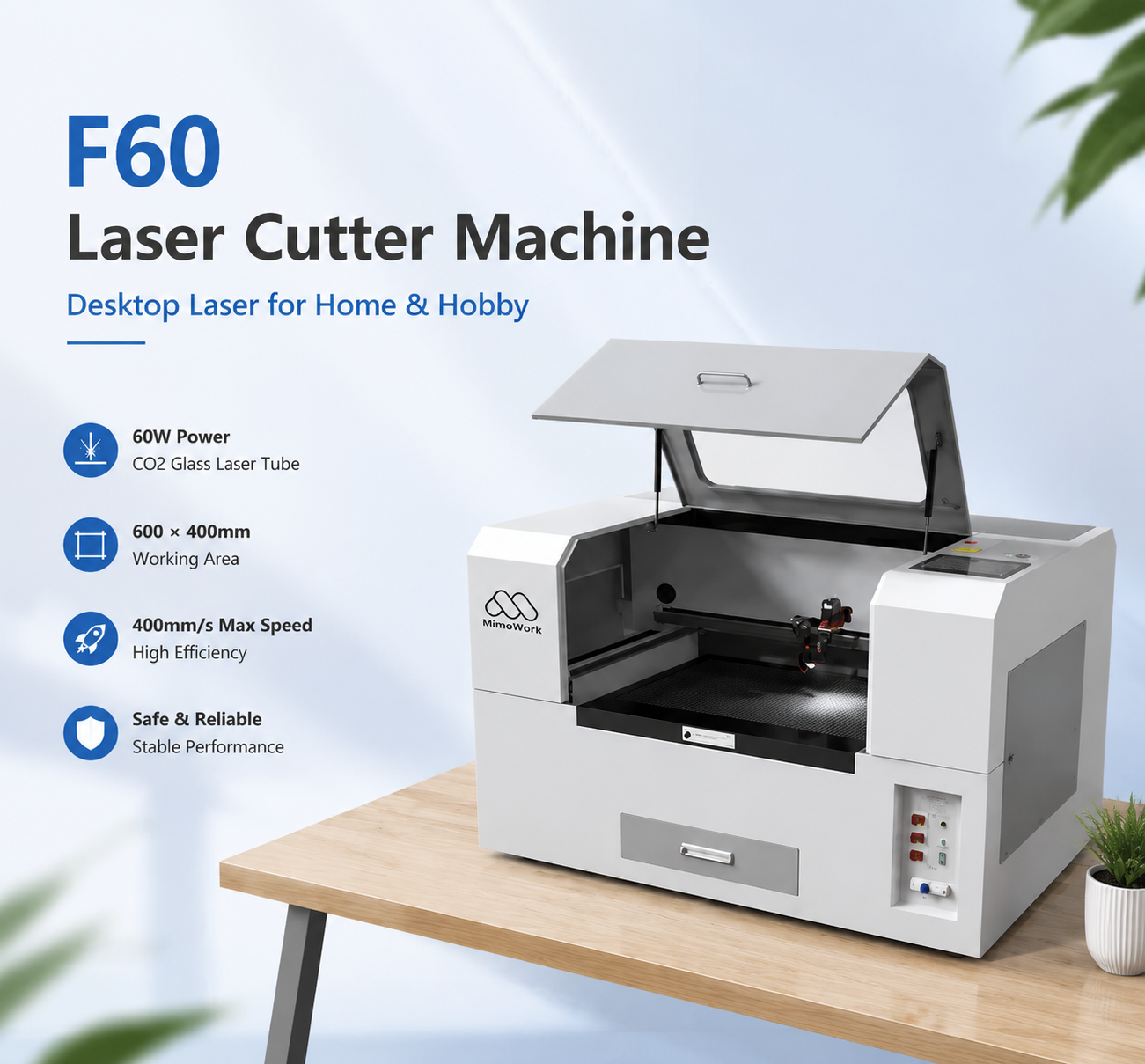
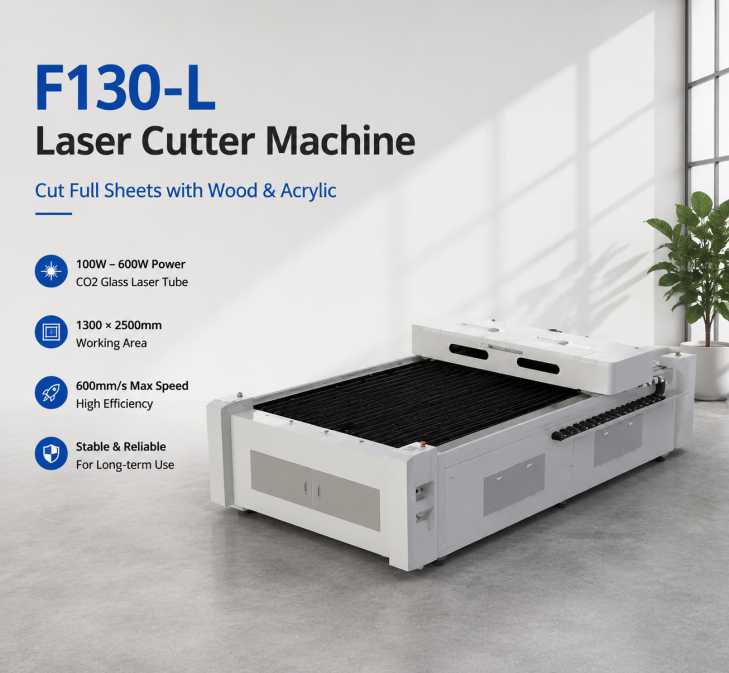
MimoWork’s current CO2 range covers 60W machines through configurations reaching 150W and beyond, with working areas ranging from compact desktop systems to large-format machines. The F60, for example, uses a 60W CO2 source and a 600 × 400 mm working area, while the F130 is available from 60W to 150W. The F130-L extends to 100W–600W for large sheets.
But power should never be translated directly into a guaranteed thickness.
Wood is not a uniform engineering material. Density, moisture, grain direction, resin content, plywood adhesive, and board construction all affect how efficiently the laser penetrates.
Research on spruce wood, for example, found that laser power and cutting speed strongly influence kerf width, heat-affected area, and charring.
| CO2 laser power | Practical target for wood cutting | Where it starts to make sense |
| 40–60W | Thin plywood, veneer, small wood products | Hobby, crafts, small products |
| 60–80W | Around 3–9 mm for many common materials | Small-business production |
| 100W | Around 6–12 mm as a practical target range | More demanding cutting |
| 130–150W | Thicker boards and faster production | Professional workshops |
| 150W+ | Heavy-duty or high-throughput applications | Industrial production |
These are selection ranges, not guaranteed cutting limits. A dense hardwood and a low-density plywood of the same thickness can require very different settings.
Speed becomes more important than maximum thickness once wood reaches the upper end of a machine’s capability.
A laser can sometimes cut a thick board by slowing down dramatically. That does not mean the machine is a good production choice.
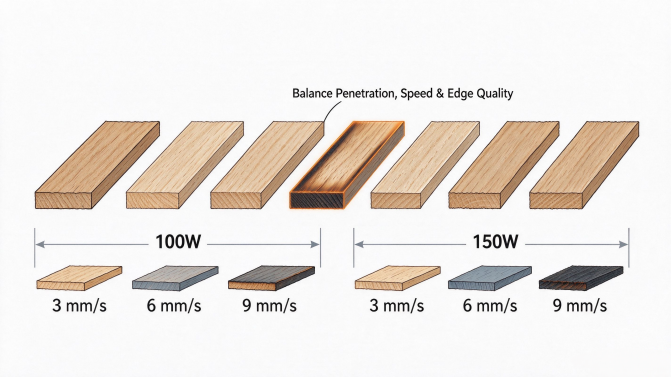
A useful research benchmark comes from a study on 8 mm spruce cut with 100W and 150W CO2 lasers. Researchers tested cutting speeds of 3, 6, and 9 mm/s and found that the combination of power and speed significantly affected kerf geometry, heat-affected areas, and charring. Under their test conditions, 100W at 9 mm/s produced an optimized result for the studied spruce samples.
| Material / thickness | Laser power studied | Cutting speeds studied | What the research shows |
| 8 mm spruce | 100W | 3 / 6 / 9 mm/s | Higher speed reduced heat exposure, but penetration and edge quality must be balanced |
| 8 mm spruce | 150W | 3 / 6 / 9 mm/s | More power provides additional cutting energy, but maximum power is not automatically the best setting |
| 3–9 mm plywood | Higher-power CO2 research | Variable | Power, speed, air pressure and focal position all influence kerf quality |
The important takeaway is not that every 100W machine should cut 8 mm wood at 9 mm/s.
It is that laser power and cutting speed must be optimized together.
A 100W machine running at a sensible production speed can be more useful than a 150W machine that only achieves acceptable quality at an unnecessarily slow setting.
Material density and construction can matter as much as thickness.
A 6 mm plywood sheet may contain multiple veneer layers and adhesive. A 6 mm solid-wood sheet has completely different grain and density characteristics.
Research from the USDA Forest Products Laboratory found that cutting speed decreased as wood specific gravity increased, and that plywood adhesive type could also substantially affect cutting performance.
That explains why two products advertised as “6 mm plywood” may behave very differently in a laser cutter.
The adhesive is particularly important.
Dark phenolic adhesives, for example, can behave differently from lighter urea-based adhesives during laser cutting.
For buyers, this means a supplier’s demonstration on one plywood brand should not automatically be treated as proof that your own material will perform identically.
The problem with thick wood is not simply getting the beam through the board; it is controlling heat and the shape of the kerf as the beam travels deeper.
As thickness increases, the cut can become wider at the top than at the bottom. More heat can also accumulate around the cutting path, increasing charring and the heat-affected zone.
That is why slowing the machine down indefinitely is not always the solution.
At some point, additional laser power becomes more valuable than additional exposure time.
For products where the edge will remain visible—such as furniture components, decorative panels, signs, and premium craft products—this distinction matters.
A technically complete cut with a heavily charred edge may still be an unacceptable production result.
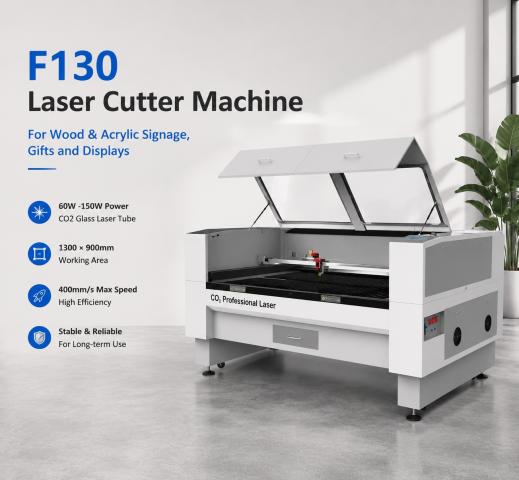
Choose 100W when your normal work is moderate-thickness wood; move toward 130–150W when thicker material or production speed is becoming the bottleneck.
A workshop primarily cutting 3–6 mm plywood does not necessarily benefit from jumping straight to 150W.
But if orders increasingly involve 9–12 mm boards, larger panels, or repeated production runs, additional power provides more room to increase cutting speed without pushing the laser toward its limits.
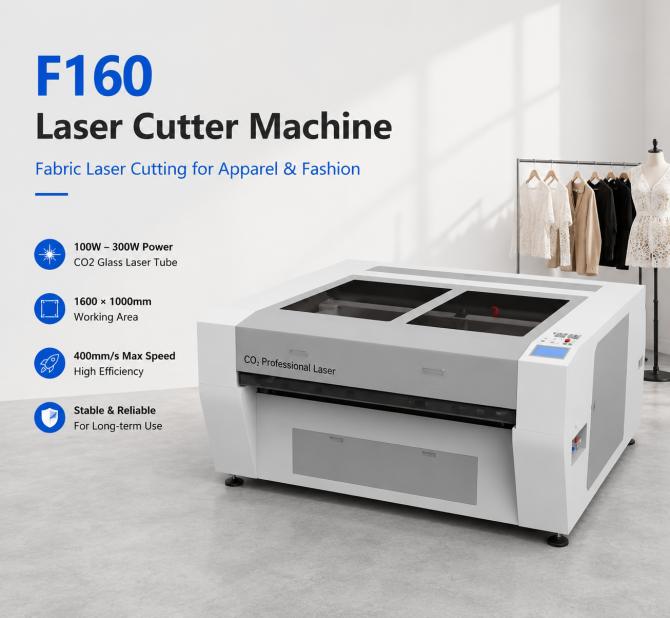
MimoWork’s F130 is available with 60W–150W configurations and a 1,300 × 900 mm working area. For full-sheet processing, the F130-L provides a 1,300 × 2,500 mm working area and 100W–600W power options.
Power and working area solve different problems.
If the laser cuts your material fast enough but you constantly reposition large sheets, you need more working area—not necessarily more watts.
Upgrade when your current machine is consistently slow, not simply because a thicker material is technically possible.
Imagine a shop cutting 6 mm plywood all day on a 60W machine. If the machine produces clean edges at an acceptable rate, there may be little reason to upgrade.
The situation changes when the same shop begins receiving orders for 10–12 mm plywood and has to reduce speed dramatically to complete each cut.
That is when the higher-power machine begins paying for itself through throughput rather than maximum thickness.
The same principle applies to large-format production. If the limitation is sheet size, moving from a 60W machine with a small bed to a larger-format configuration may provide a bigger productivity improvement than simply increasing laser power.
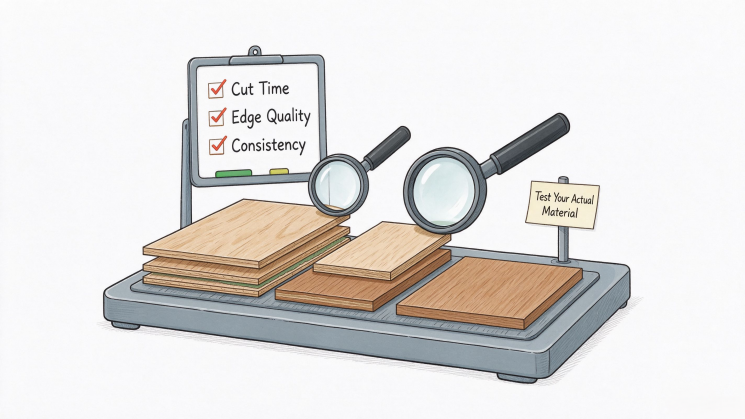
Test the exact wood you plan to sell—not generic plywood from a showroom.
A meaningful sample test should include your actual thickness, wood species or plywood grade, desired edge quality, and expected production speed.
Cut time. How long does one part actually take?
Edge quality. Is the charring acceptable for the finished product?
Consistency. Does the result remain stable across multiple sheets?
A machine that produces one excellent sample but requires frequent parameter adjustments during production is not necessarily the better machine.
For wood processing, MimoWork also offers material testing and configuration support, which can be useful when the material is unusual or the production target sits near the upper limit of a machine.
Related guide: Complete Guide to CO2 Laser Wood Cutting
It can under some material and parameter conditions, but 10 mm is close to the practical limit for many 60W applications. Production speed and edge quality should be verified with the actual material.
Some materials may be cut at this thickness, but it should not be treated as a universal specification. Density, board construction, airflow, focus, and required edge quality all matter.
No. Higher power creates more available energy, but cutting speed also depends on material properties, focus, airflow, beam quality, and the desired cut quality.
Not necessarily, but plywood introduces adhesive layers and construction differences that can change cutting behavior. Different plywood grades should be tested independently.
Yes. CO2 lasers can process many hardwoods, but dense species generally require more careful parameter optimization than lightweight wood.
The number on a laser specification sheet tells you how much power the machine can deliver.
It does not tell you whether your 12 mm plywood will come out fast, clean, and repeatable.
That is why the most useful CO2 laser wood cutting comparison is not simply 60W versus 100W versus 150W.
It is:
thickness + material density + cutting speed + edge quality + production volume.
For thin plywood and craft products, 60W can be entirely practical. For thicker wood and growing production, 100W–150W provides more headroom. Beyond that, the question becomes less about “Can it cut?” and more about how quickly you need it to cut.
Before choosing a machine, test your actual wood and measure the time required to produce an acceptable finished edge. That number is far more useful than a maximum-thickness claim.
USDA Forest Products Laboratory, Cutting Wood Materials by Laser. USDA Forest Products Laboratory research report
Technical University in Zvolen, Optimization of Parameters for the Cutting of Wood-Based Materials by a CO₂ Laser. Peer-reviewed research paper
News | Nov-13-2026